|
The SAS/GRAPH Control for ActiveX enables you to embed interactive
graphs in Web pages and OLE documents (in Microsoft Office products).
When the graph is displayed, you can point-and-click to
rotate, change, or further investigate the graph. The plan for future
releases of the control is to allow you to save these changes back to
your SAS/GRAPH code so that a modified graph can be regenerated any time
the original data are updated, but that capability has not yet been
implemented.
Note: Although there are numerous ways to generate
the SAS/GRAPH Control for ActiveX, these Web pages focus on how to
generate the control in a SAS/GRAPH program.
|
Beginning in Version 8 of The SAS System, the SAS/GRAPH Control for
ActiveX supports the following graph types:
- Bar charts
- Pie charts
- Area plots
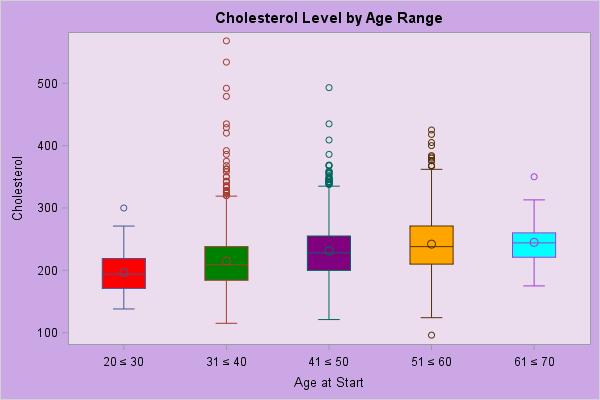
- Box-and-Whisker plots
- Bubble plots
- Contour plots
- High-Low plots
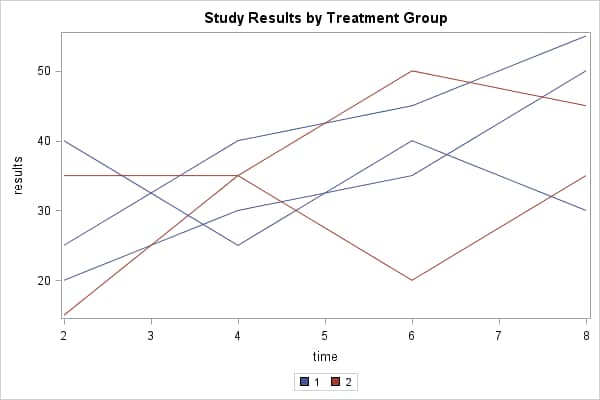
- Line plots
- Regression plots
- Scatter plots
- Standard Deviation plots
- Surface plots
- Maps
|
Software Requirements
SAS/GRAPH Features that are Supported by the ACTIVEX Driver
Installing the
SAS/GRAPH Control for ActiveX
Using SAS/GRAPH to Generate Client Graphs
for ActiveX or Java
Using the SAS/GRAPH Control for
ActiveX
Software Requirements for the SAS/GRAPH Control for ActiveX
The SAS/GRAPH Control for ActiveX is available in the Windows NT
operating environment, or in Windows 95 or later.
To generate an SAS/GRAPH Control for ActiveX, you can:
-
Write a SAS/GRAPH program that specifies DEVICE=ACTIVEX on a GOPTIONS
statement and uses the Output Delivery System (ODS) to generate HTML
output from procedures GCHART, GCONTOUR, GMAP, GPLOT, or G3D. This is
the only method discussed in these Web pages.
- Export the control from Graph-N-Go, which is delivered with
SAS/GRAPH. To start Graph-N-Go, use any SAS window to choose
Solutions->Reporting->Graph-N-Go. Application help is
available from the main window's Help menu.
- Export the control from Enterprise Guide. Contact the SAS Sales
department for information about Enterprise Guide.
- Use the SAS/IntrNet DS2GRAF macro to generate the control. This is
an HTML Formatting Tool that creates the HTML page and parameter
information necessary for you to use the SAS/GRAPH Control for ActiveX.
The generator requires the 1.2 HTML Formatting Tools and SAS/GRAPH
software. For information, see
The GraphApplet HTML
Generator. (In Version 7.01 of The SAS System, the DS2GRAF macro
could only be used to generate an HTML page for use with the GraphApplet
for Java. Beginning in Version 8, the macro can also generate an HTML
page for use with the SAS/GRAPH Control for ActiveX. For continuity with
previous releases of SAS IntrNet, the Web pages continue to refer to the
tool as the GraphApplet HTML Generator.)
The SAS/GRAPH Control for ActiveX is rendered by JavaScript code in
an HTML file. To view an ActiveX control on the Web, you need
- Windows NT, or Windows 95, 98 or later operating environment
- Approximately 7 Meg of disk space to complete installation of the
control
- Internet Explorer 5.0 or later.
SAS/GRAPH Features that are Supported by the ACTIVEX Driver
SAS/GRAPH Technical Support publishes Technical Note TS-602,
which contains current information on the ACTIVEX device driver's
support for SAS/GRAPH statements and options. That information
includes:
- What statements and options are supported by the ACTIVEX driver
that are not supported by other SAS/GRAPH drivers
- What statements and options are not fully supported by the ACTIVEX
driver (or work differently than they work with other SAS/GRAPH drivers)
- What statements and options are not supported by the ACTIVEX driver.
To access that information, search for Technical Note TS-602 on
the SAS Institute Technical Support Web site.
|
 |