
The most recent release is SAS Enterprise BI Server 4.4.

Training Courses
Learn SAS technology quickly and efficiently by taking a course from the analytics experts.
Books
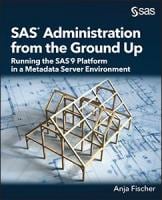
For more in-depth information, read books written by SAS experts.
Documentation
Find user's guides and other technical documentation for SAS Enterprise BI Server.
SAS Enterprise BI Server and SAS BI Server are software offerings that each comprise a suite of products. These offerings serve as a platform for many SAS solutions, such as SAS Financial Management.
The following products are commonly used with these and similar SAS software offerings:
- SAS/AF*
- Base SAS
- SAS Add-In for Microsoft Office
- SAS BI Dashboard*
- SAS Environment Manager
- SAS/GRAPH
- SAS Information Delivery Portal*
- SAS Information Map Studio
- SAS Integration Technologies
- SAS Management Console, including Plug-ins for SAS BI Lineage and SAS Esri Map Manager*
- SAS Metadata Server
- SAS OLAP Cube Studio and SAS OLAP Server*
- SAS OLAP Viewer for Java (SAS 9.2 and 9.1.3 only)
- SAS OLAP Viewer for .NET (SAS 9.1.3 only; help within product)
- SAS Web Parts for Microsoft SharePoint
- SAS Web Report Studio
- SAS Web Application Server
- SAS Web Infrastructure Platform services, applications, and Data Server
- SAS Web Server
- SAS Workflow Studio
- SAS Intelligence Platform Documentation Library for installing, configuring, migrating, and administering these and other SAS software offerings.
*These products are available only in the SAS Enterprise BI Server offering.
Related Documentation

SAS Enterprise BI Server Blogs & Communities

Connect with other SAS users by joining a users group or attending an upcoming event.