Installation Note 33144: Frequently asked questions about SAS® 9.2
 |  |  |  |
Installation
Is SAS 9.2 an update or an upgrade of SAS 9.1.3?
No, SAS 9.2 is a new release, and should be installed in a separate, empty directory.
I need instructions for installing SAS 9.2. Where can I find documentation for installing and using SAS 9.2?
Documentation for all supported operating systems is on the Install Center Web site.
With SAS 9.1.3, I received installation media. With SAS 9.2, I am receiving an Electronic Software Download (ESD). Can I request media instead?
See SAS Note 30882, "Frequently asked questions about SAS® 9.2 Electronic Software Delivery (ESD)."
Can SAS 9.1.3 and SAS 9.2 co-exist on the same server? How about SAS 8.2 and SAS 9.2?
Yes. See SAS Note 24018, "Can multiple versions of SAS® software coexist on one computer?" for complete details.
SAS 9.1.3 used the SAS® Software Navigator. Why does SAS 9.2 now use the SAS® Deployment Wizard?
SAS 9.2 uses only the SAS Deployment Wizard because it provides a more seamless experience during the installation and configuration process. The SAS Deployment Wizard is available for both the Windows and the UNIX operating environments.
One advantage of the SAS Deployment Wizard is that it enables a "quiet" or "silent" installation, as explained below.
Another advantage is that you are prompted at the beginning of your installation, so that you only have to provide the information once. You provide the answers at the beginning of the installation and then you can walk away and allow the installation to continue unattended.
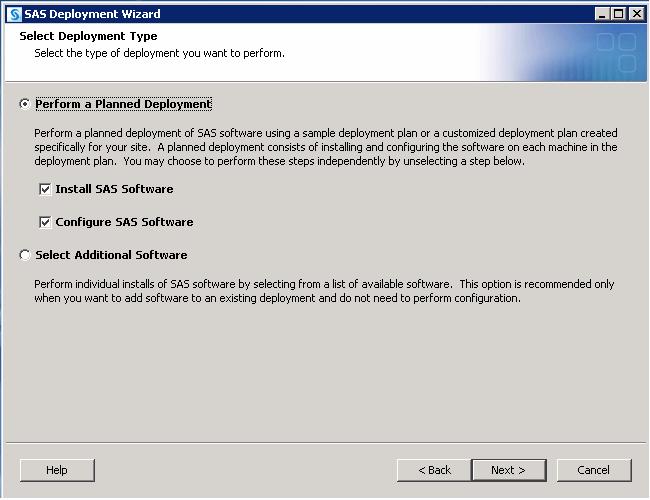
The SAS Deployment Wizard also replaces the SAS Configuration Wizard. When you perform a planned deployment, you have the option either to install SAS and run the configuration or to run them separately.
Can SAS 9.2 be installed quietly?
Yes. The SAS Deployment Wizard is the common interface that is used to install and deploy all SAS 9.2 software. For more information, see the SAS® Deployment Wizard User's Guide. See the Command-Line Options section of Chapter 4.
When I installed SAS 9.1.3, I received my SAS Installation Data (SID) file via e-mail. Why have I not received my new SAS 9.2 SID file?
The SID file is now included in your Electronic Software Download. You do not receive it via e-mail. However, when you renew your SAS license, the new SID file will be sent via e-mail as usual.
For your reference, the form of the new SID file name is SAS92_order#_site#_OperatingSystem.txt.How can I have my SAS Order E-mail (SOE) re-sent to me?
The fastest method is to submit the required information on the Administrator Services page.
Customers in the U.S. also can contact SAS Contracts Customer Service at (800) 727-0025 and request that the SOE be re-sent. Customers outside of the U.S. should contact their local office. Note: The SOE will be sent to the designated SAS representative for your company.
I am installing SAS 9.2 for the first time and the SID file in my depot has expired. Will I be able to install SAS 9.2 successfully?
As long as the expiration date is still within the grace period (typically 90 days from the original expiration date), you still can install the software. However, if, however, if the grace period has passed, you must obtain a new SID file from SAS Contracts Customer Service.
You can download the SAS Software Depot using the original Order Number and Installation Key even if the SID file is expired.
Where can I find directions for applying a renewal SID file?
The License Assistance Web site gives complete directions for all supported platforms and SAS releases.
I am receiving a message that says that my download count exceeds the maximum limit of the ESD. What does this message mean?
The SAS Download Manager is not intended to be used by each user that requests SAS 9.2. Instead, you should download a single copy of SAS 9.2 and distribute that copy to users.
The SAS Deployment Wizard, an interface application within the SAS Software Depot, provides distribution methods for SAS 9.2. You can create media, copy the depot to a shared location, or create specific depots for specific users. More information is available in the SAS® Deployment Wizard User's Guide.
I have copied my depot using the recommended method, but I am encountering problems with installation.
Sometimes, when you copy large amounts of data, files can become corrupted. If this happens, try to install SAS 9.2 from the original depot to see whether you encounter the same problems. If you do not encounter the same problems, run the SAS Deployment Wizard again and select Create SAS Software Depot, pointing to the new location that you previously used. This method prevents file corruption.
I do not need all the languages included with SAS 9.2 and would like to remove all but English to save disk space. Can I simply remove them from the depot before installing SAS 9.2?
No, you cannot use the SAS Download Manager to select a subset of modules, and deleting modules corrupts the depot. You must install the entire order as it is provided to you.
If I have multiple orders in my depot, will I have multiple versions of the installation program (SAS Deployment Wizard) and the SAS Migration utility?
No, you only have the most recent releases of the SAS Deployment Wizard and the SAS Migration Utility.
SAS Software Depots in Windows Operating Environments
Can I copy an existing depot (standard, personal users, client users) to another location? Can I copy a depot to a flash drive? In other words, do you need to use the "Create a new software depot" menu option?
If you decide to move or copy your SAS Software Depot from the original location, the method you should use depends on the network status of the original and target locations.
If you move the depot from one location on a network to another location on the same network, normal copying and moving processes are sufficient. However, if you move the depot between locations that are not networked, you can use the media creation process that is described previously to perform that task. It is important to make sure that whatever tool you use to move or copy the depot does not affect the case of any filenames and that it does not truncate long filenames to the 8.3 format. For more information, see the SAS® Deployment Wizard User's Guide.
Operating System and Release Information
| Product Family | Product | System | SAS Release | |
| Reported | Fixed* | |||
| SAS System | Base SAS | z/OS | 9.2 TS2M0 | |
| Microsoft® Windows® for 64-Bit Itanium-based Systems | 9.2 TS2M0 | |||
| Microsoft Windows Server 2003 Datacenter 64-bit Edition | 9.2 TS2M0 | |||
| Microsoft Windows Server 2003 Enterprise 64-bit Edition | 9.2 TS2M0 | |||
| Microsoft® Windows® for x64 | 9.2 TS2M0 | |||
| Microsoft Windows Server 2003 Datacenter Edition | 9.2 TS2M0 | |||
| Microsoft Windows Server 2003 Enterprise Edition | 9.2 TS2M0 | |||
| Microsoft Windows Server 2003 Standard Edition | 9.2 TS2M0 | |||
| Microsoft Windows XP Professional | 9.2 TS2M0 | |||
| Windows Vista | 9.2 TS2M0 | |||
| 64-bit Enabled AIX | 9.2 TS2M0 | |||
| 64-bit Enabled HP-UX | 9.2 TS2M0 | |||
| 64-bit Enabled Solaris | 9.2 TS2M0 | |||
| HP-UX IPF | 9.2 TS2M0 | |||
| Linux | 9.2 TS2M0 | |||
| Linux for x64 | 9.2 TS2M0 | |||
| OpenVMS on HP Integrity | 9.2 TS2M0 | |||
| Solaris for x64 | 9.2 TS2M0 | |||
| Type: | Installation Note |
| Priority: | medium |
| Date Modified: | 2011-02-15 10:08:24 |
| Date Created: | 2008-09-03 16:49:18 |