Step 6: Run the Task to View the Generated SAS Code and Resulting Output Data Set
Now, you compare the results and generated SAS code
when the Same name? check box is selected
and when this check box is not selected.
The Same Name Check Box Is Selected
If you select the Same
name? check box in the user interface and then run the
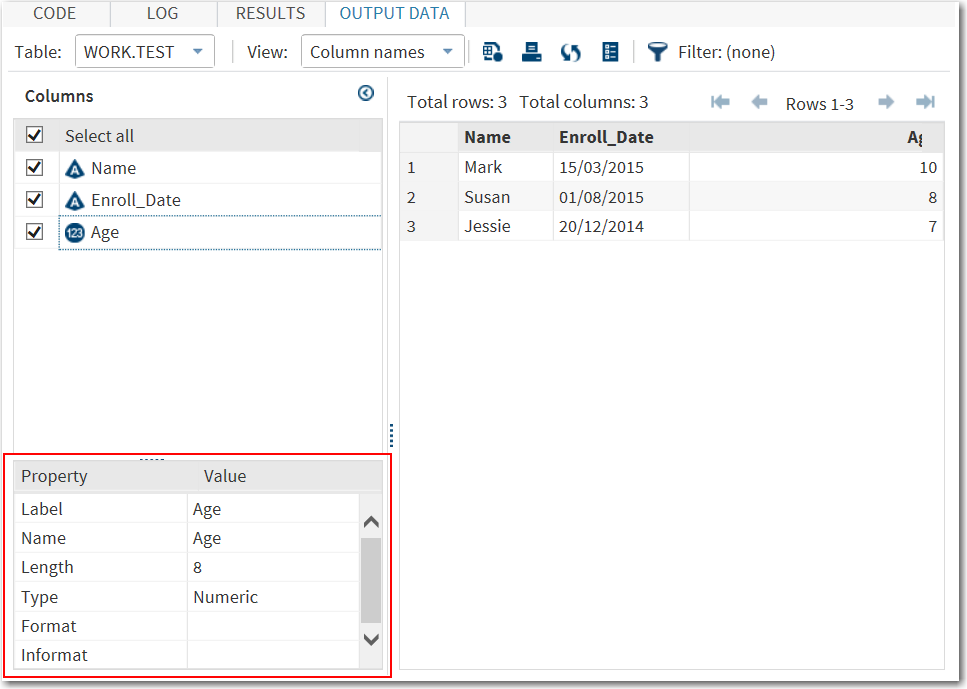
task, the resulting output data set contains the same number of variables
as the input data set. Also, the names of the variables in the output
data set are the same as the names in the input data set. In this
example, the character variable in the input data set has been dropped,
and a new numeric variable with the same name has been added to the
output data set.
To view this result:
-
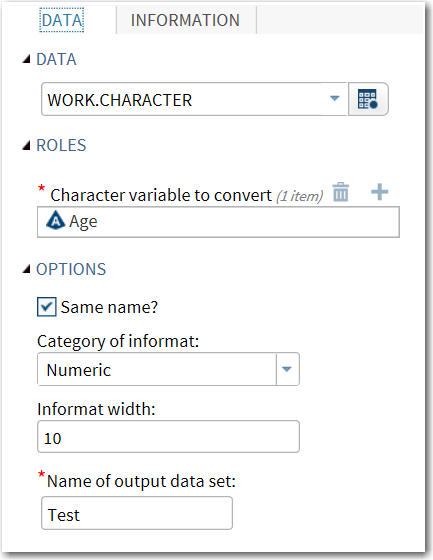
In the user interface, select these options:
-
For the input data source, select WORK.CHARACTER.Note: If your SAS Studio session has timed out since you created this data set, this data set is no longer available from the temporary Work library. You must re-create this data set to continue. To re-create the data set, see Create the Example Data Set.
-
For the character variable to convert, select Age.
-
Select the Same name? check box.
-
Verify that
10is in the Informat width box.Here is the updated user interface:The generated SAS code appears on the Code tab.data WORK.Test; set WORK.CHARACTER(rename=Age=Age_old); Age=input (Age_old, BEST10.); drop Age_old; run;
Note: The BEST10 informat was defined using thereturnValueattribute and thedefaultValueattribute in these two lines of code in the metadata:<Option name="numericChoice" inputType="string" returnValue="BEST">Numeric</Option> <Option name="informatLength" inputType="numbertext" minValue="1" defaultValue="10">Informat width:</Option>
-

The Same Name Check Box Is Not Selected
When you run the task
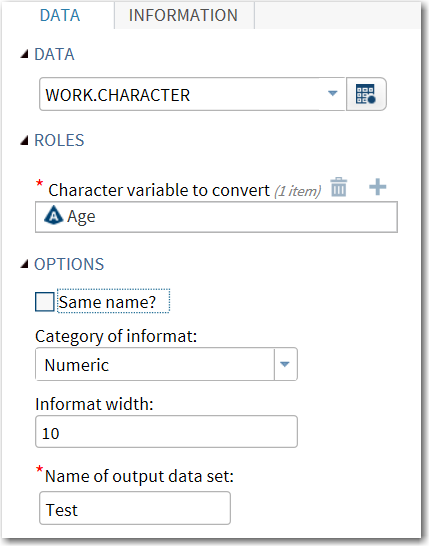
and the Same name? check box is not selected,
the resulting data set includes the existing character variable and
a new numeric variable called variable-name_new.
To view this result:
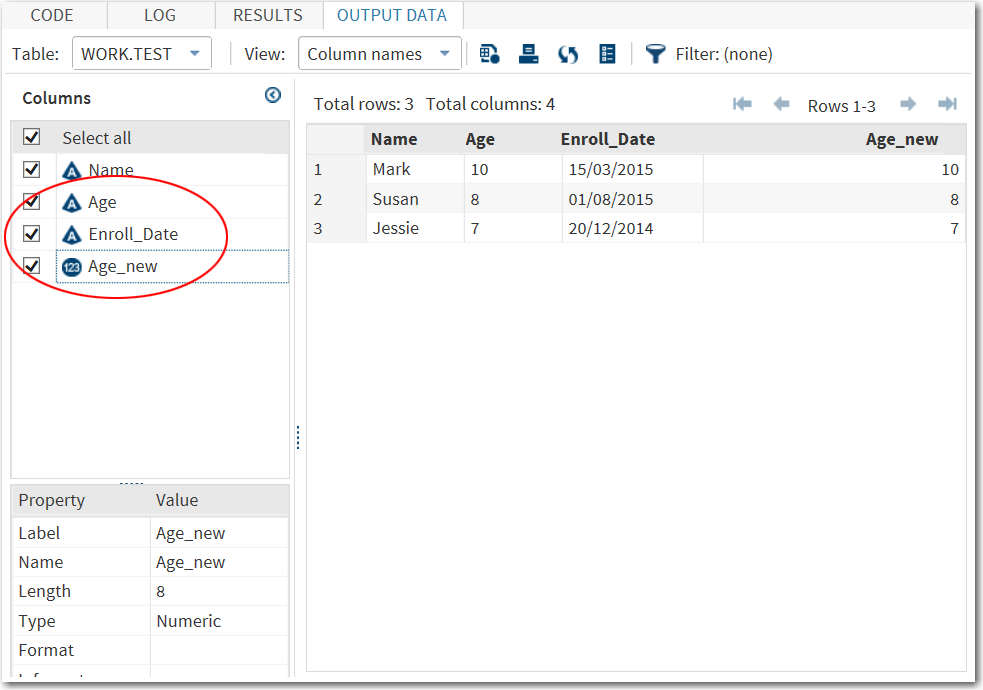
The results appear on
the OUTPUT DATA tab. The resulting output
data set includes all of the variables from the input data set and
a new variable called variable-name_new.
In this example, the results contain both the Age and Age_new variables.
Age is a character variable, and Age_new is a numeric variable.
You can now close the
task.
Copyright © SAS Institute Inc. All rights reserved.