Problem Note 70558: Opening a table in SAS® Studio might return a "No data was returned for table" message and reset the SAS session
 |  |  |  |
When opening a table in SAS Studio, a pop-up dialog box might occur with a No data was returned for table message similar to the following:
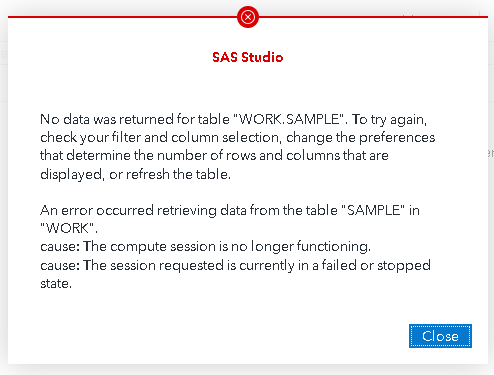
The message above is followed by a SAS Session Problem Detected pop-up window that is similar to the following:
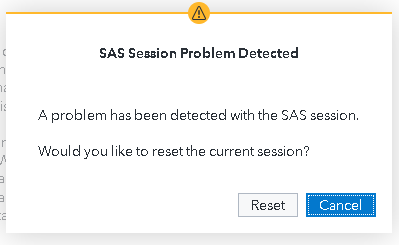
This problem occurs when the number of columns in the table is greater than the value for the Columns displayed preference.
To circumvent this problem, select Options ► Preferences ► Tables and increase the value for the Columns displayed preference.
Operating System and Release Information
| Product Family | Product | System | Product Release | SAS Release | ||
| Reported | Fixed* | Reported | Fixed* | |||
| SAS System | SAS Studio for Viya | Linux for x64 | Stable 2023.11 | Stable 2023.12 | Viya platform | Viya platform |
| Type: | Problem Note |
| Priority: | high |
| Date Modified: | 2023-12-13 14:32:24 |
| Date Created: | 2023-12-06 12:06:23 |