Problem Note 65743: Maps are not displayed in Google Chrome or Mozilla Firefox browsers
 |  |  |  |
Maps might not be displayed properly in the SAS® Anti-Money Laundering 7.1 user interface. Instead of the map image, a gray box appears, as shown here:
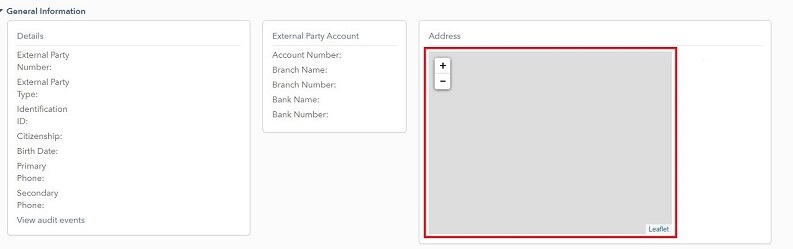
Also, on the Console tab of the Developer Tools section in the browser, you might see a message similar to the following:
app-deps.min.js?v=4c6b5e1e75ed0f5780713d6d3f7e9960:7 Refused to connect to 'https://nominatim.openstreetmap.org/search?city=Encinitas&format=json&limit=1&postalcode=92024&street=street-address because it violates the following Content Security Policy directive: "default-src 'self' 'unsafe-inline' 'unsafe-eval'". Note that 'connect-src' was not explicitly set, so 'default-src' is used as a fallback.
This issue occurs when you are using either Google Chrome or Mozilla Firefox.
To work around the issue, follow these steps:
- Edit the sas.conf file. This file is located in SAS-configuration-directory/LevN/Web/WebServer/conf/.
- Update the following line:
Header set Content-Security-Policy "default-src 'self' 'unsafe-inline' 'unsafe-eval'; img-src * data; frame-src *"
Change the line to list the text that is shown here:
Header set Content-Security-Policy "default-src 'self' 'unsafe-inline' 'unsafe-eval'; img-src * data; frame-src *; connect-src 'self' nominatim.openstreetmap.org;"
- Save the file.
- Restart your SAS® Web Server instance.
Operating System and Release Information
| Product Family | Product | System | Product Release | SAS Release | ||
| Reported | Fixed* | Reported | Fixed* | |||
| SAS System | SAS Anti-Money Laundering | Microsoft® Windows® for x64 | 7.1 | |||
| 64-bit Enabled AIX | 7.1 | |||||
| 64-bit Enabled Solaris | 7.1 | |||||
| Linux for x64 | 7.1 | |||||
| Type: | Problem Note |
| Priority: | high |
| Date Modified: | 2020-03-27 08:45:15 |
| Date Created: | 2020-03-25 10:19:37 |