Installation Note 60575: SAS® Event Stream Processing Server fails to start on Windows with a system error because the MSVCR110.dll file is missing
 |  |  |  |
SAS Event Stream Processing 4.3 is installed on Windows operating systems and requires the MSVCR110.dll file. Starting the SAS Event Stream Processing Server fails with the following system error if MSVCR110.dll is missing:
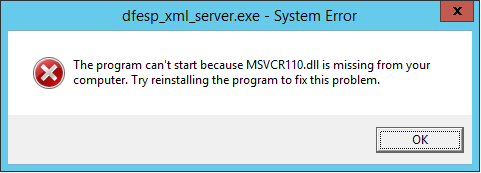
(The program can't start because MSVCRR110.dll is missing from your computer. Try reinstalling the program to fix this problem.)
Then, the dfesp_xml_server.exe program ends with the following message:
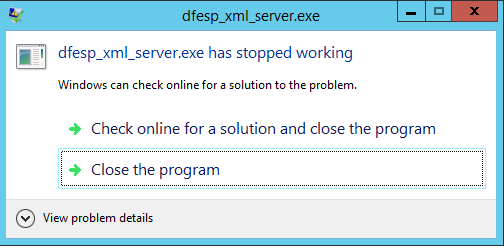
(dfesp_xml_server.exe has stopped working)
To circumvent this problem, install the latest Microsoft Visual C++ Redistributable Package for Visual Studio 2012. The Visual Studio 2012 (VC++ 11.0) package is available to download from the Microsoft website.
If you cannot find the Microsoft Visual C++ Redistributable 2012 package, follow these steps:
- Download this ZIP file with the Microsoft Visual C++ Redistributable installers.
- Unzip the file.
- Select the VisualC++2012 folder and run the vcredist_x64.exe executable.
SAS Event Stream Processing 4.3 requires Microsoft Visual C++ Redistributable for Visual Studio for 2008, 2012, and 2013.
Operating System and Release Information
| Product Family | Product | System | Product Release | SAS Release | ||
| Reported | Fixed* | Reported | Fixed* | |||
| SAS System | SAS Event Stream Processing Engine | Microsoft® Windows® for x64 | 4.3 | |||
| Type: | Installation Note |
| Priority: | high |
| Date Modified: | 2017-06-08 15:03:41 |
| Date Created: | 2017-06-05 09:21:15 |