Usage Note 45133: SAS® Drug Development 3.5 - Using Xythos Drive Mapping for Windows 7
 |  |  |  |
Using Drive Mapping for Windows 7
Drive mapping refers to mapping a web server location as if it is a physical drive on your network. This means that you can define the SAS Drug Development repository as a drive and your desktop can access files stored in SAS Drug Development.
Example of Defining a Drive Mapping Tool
Here are the general steps for mapping a drive to SAS Drug Development.
Before starting, the Xythos documentation is online to assist with configuring and using Xythos 64:
http://public.xythos.com/home/documentation/xd_help/win64_v1_5/index.htm
After installing the Xythos 64x client and rebooting, open the Xythos Client on your Desktop or Start →. All Programs → Xythos → Xythos Drive 64 → Xythos Drive 64. The following dialog box appears after the opening screen:
- Give your volume a name, like any drive volume, the name cannot contain spaces or special characters.
- Enter your SAS Drug Development instance WebDAV URL like https://<your instance name>/WebDAV/
- Enter your SAS Drug Development instance user name and password. Suggest not to select the Save Passwords option, because SAS Drug Development security requires frequent changes.
- Assign a drive letter or let Xythos select one for you.
- Set desired options for your folder consult the Xythos 64 documentation for specifics.
- Leave Sharing Level set to heavy for SAS Drug Development
- Select the OK button

Select the + sign button to add a connection.
The New Volume window is shown below and includes the Advanced Options tab expanded:
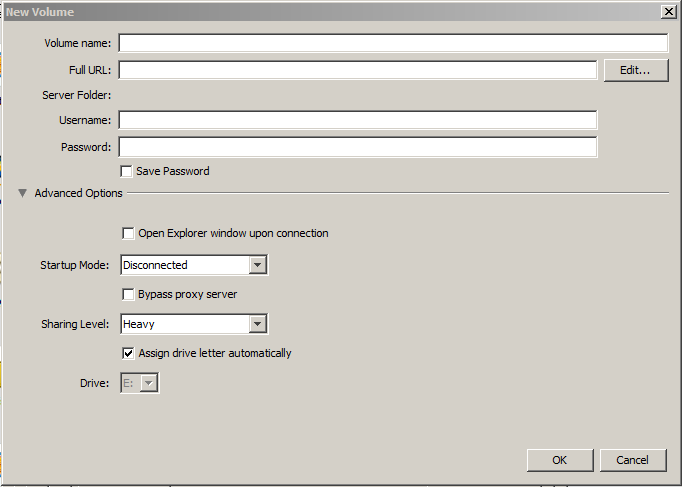
Steps for defining a Xythos SAS Drug Development connection:
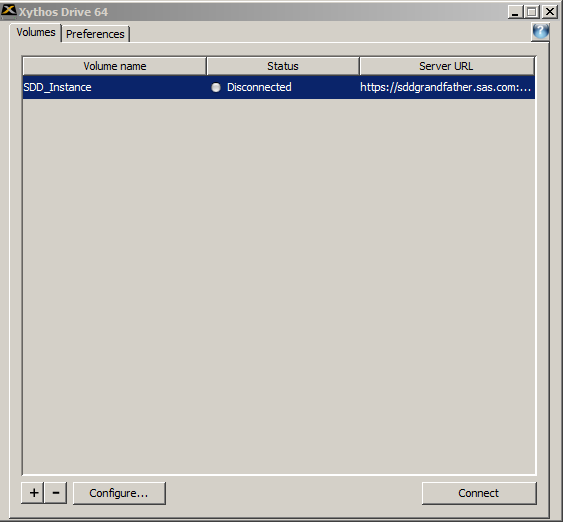
Connect by selecting the connection that you just configured and selecting the Connect button:
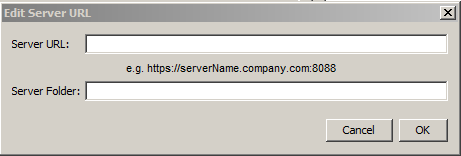
The Edit button moves to the window below. This is where changes can be made to your URL after you have attempted a SAS Drug Development connection.
For configuration and troubleshooting Xythos connections, select Preferences:
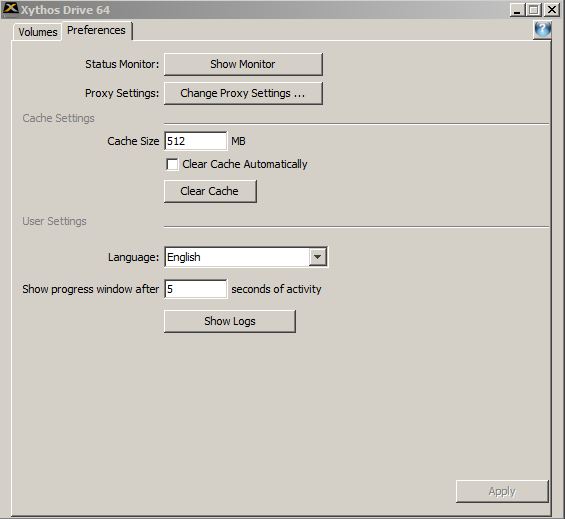
The Preferences tab sets the following:
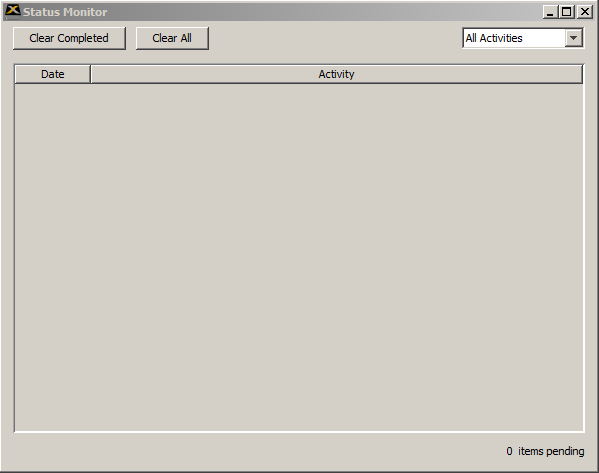
- 1. Status Monitor
- 2. Proxy Settings
The default proxy setting is Do not use proxy.
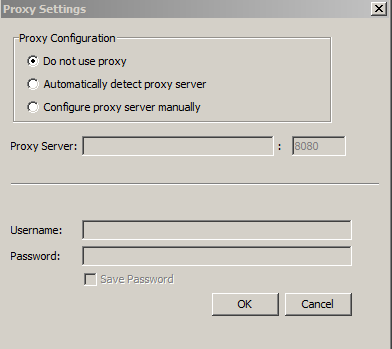
Note: SAS Drug Development customers might need to adjust this, please consult your local IT support for the correct proxy settings.
- 3. User Setting
Allow users to select a language, review session logs, and show connection activity progress.
The ? provides detail help for the Xythos 64 product.
Operating System and Release Information
| Product Family | Product | System | SAS Release | |
| Reported | Fixed* | |||
| SAS System | SAS Drug Development - SAS Hosted Edition | Windows 7 Enterprise 32 bit | ||
| Windows 7 Enterprise x64 | ||||
| Windows 7 Home Premium 32 bit | ||||
| Windows 7 Home Premium x64 | ||||
| Windows 7 Professional 32 bit | ||||
| Windows 7 Professional x64 | ||||
| Windows 7 Ultimate 32 bit | ||||
| Windows 7 Ultimate x64 | ||||
| Windows Vista | ||||
| Windows Vista for x64 | ||||
| Type: | Usage Note |
| Priority: |
| Date Modified: | 2012-01-13 15:49:34 |
| Date Created: | 2011-12-13 15:11:33 |