Usage Note 45071: SAS® Drug Development 3.5 - Desktop configuration using web folders for Windows XP
 |  |  |  |
Using Web Folders for Windows XP
A web folder provides a way to reference a web server location as if it were a folder on your network.
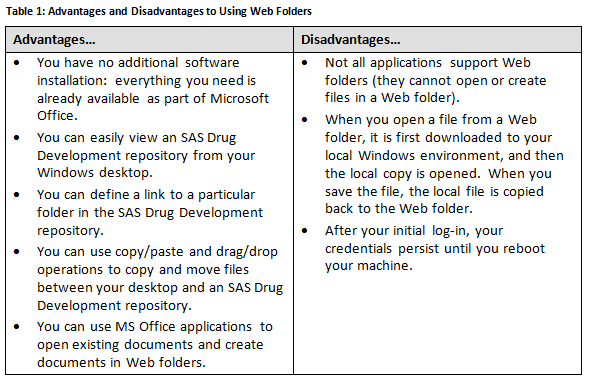
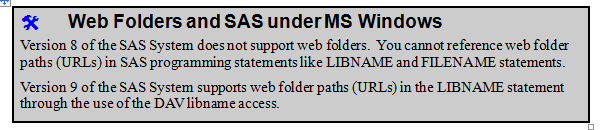
Example of Defining a Web Folder
Here are the general steps for mapping a web folder to SAS Drug Development using Windows XP.
1. From your Windows desktop, double-click the My Network Places icon. This opens a My Network Places window.
2. From the My Network Places window, double-click on Add Network Place icon. This opens the Add Network Place Wizard window.
Note: If you do not have the My Network Places icon on your desktop, you can access it from the Add Network Place Wizard from Windows Explorer.
a. Select Tools from the menu.
b. Select Map Network Drive from the list.
c. Select Sign up for network storage…
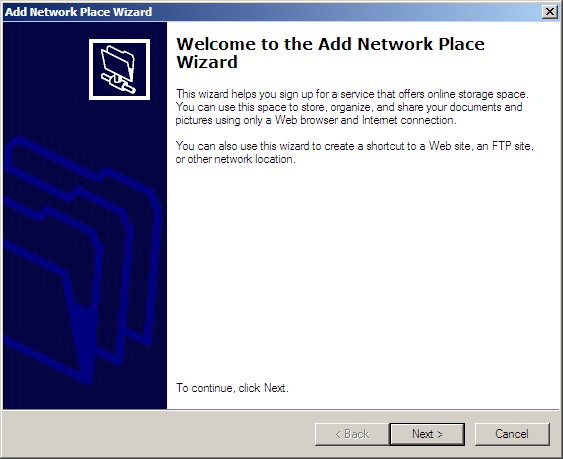
3. Select the Next button
4. Enter the URL in the Location field and select the Next button.
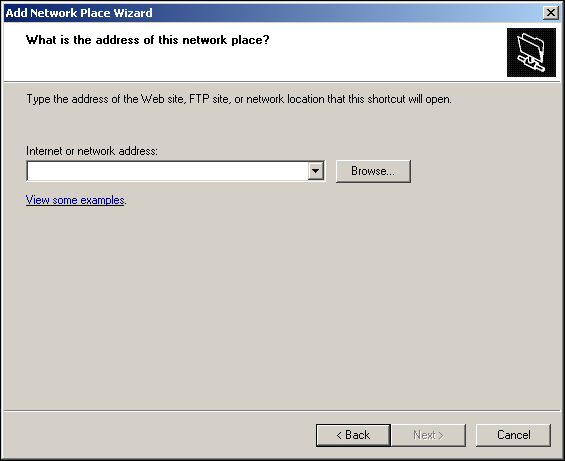
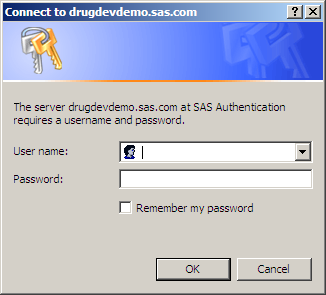
5. The Enter Network Password window appears. From Enter Network Password window, enter your SAS Drug Development user name and password and select the OK button. This returns you to the Add Network Place Wizard window.
6. In the Add Network Place Wizard window, enter a name for your web folder then select the Finish button at the bottom of the Add Network Place Wizard window to complete the definition of your web folder. Your web folder should appear on your desktop and you can use it to access files stored in SAS Drug Development.
For additional information for Windows client WebDAV please see Software Update for Web Folders (KB907306)
http://www.microsoft.com/download/en/details.aspx?displaylang=en&id=15123Operating System and Release Information
| Product Family | Product | System | SAS Release | |
| Reported | Fixed* | |||
| SAS System | SAS Drug Development - SAS Hosted Edition | Microsoft Windows XP Professional | ||
| Type: | Usage Note |
| Priority: |
| Date Modified: | 2012-01-10 12:01:51 |
| Date Created: | 2011-12-07 13:30:43 |