Installation Note 35510: When installing SAS® Download Manager on Vista, a "JVM not found" error message might appear
 |  |  |  |
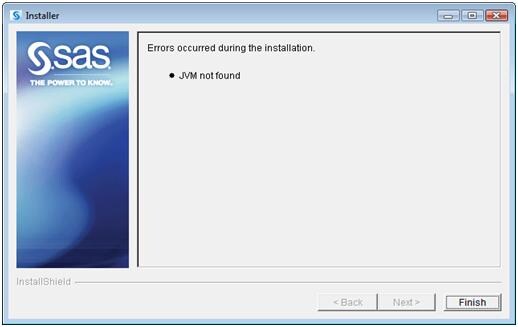
When you are installing the SAS Download Manager on Vista, the following error message might appear:
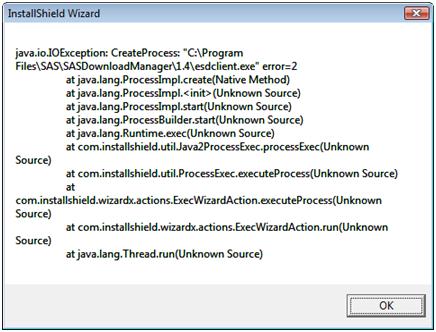
After you click Finish, this error occurs:
Subsequently, Vista will display this message:
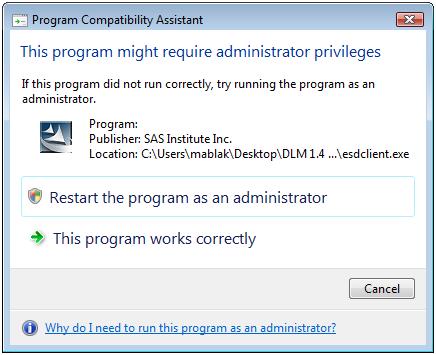
From this dialog box, you can either select Restart the program as an administrator or Cancel.
If you select Cancel, you can then install as administrator by right-clicking the installation file and selecting Run as Administrator.
Operating System and Release Information
| Product Family | Product | System | Product Release | SAS Release | ||
| Reported | Fixed* | Reported | Fixed* | |||
| SAS System | SAS Download Manager | Windows Vista | 1.4 | |||
When installing SAS® Download Manager on Vista, a "JVM not found" error message might appear. Following that, a Java exception error occurs and Vista displays the Program Compatability Assistant. From this dialog box, you can either restart the program as an administrator or select Cancel.
| Type: | Installation Note |
| Priority: | medium |
| Date Modified: | 2009-04-16 10:08:55 |
| Date Created: | 2009-04-08 17:14:03 |