Step 10: Run the Task and Review the Results
Now, if Numeric is
selected from the Category of informat drop-down
list, the value of the
$informat Velocity
variable is set to the values in the Numeric informat and Numeric
width options.
To verify this behavior:
-
Select these options:
-
For the input data source, select WORK.CHARACTER.Note: If your SAS Studio session has timed out since you created this data set, this data set is no longer available from the temporary Work library. You must re-create this data set to continue. To re-create the data set, see Create the Example Data Set.
-
Assign Age to the Character variable to convert role.
-
From the Category of informat drop-down list, select Numeric.
On the Code tab, you should see the following SAS code:data WORK.Test; set WORK.CHARACTER; Age_new=input(Age, BEST10.); run;
-

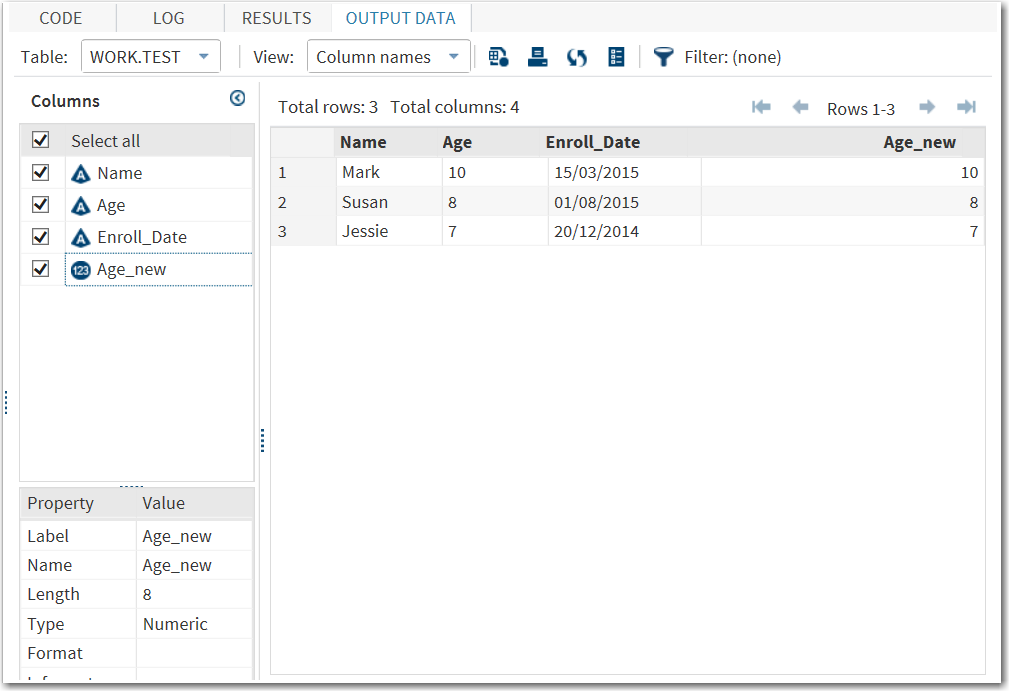
If Date is
selected from the Category of informat drop-down
list, the value of the
$informat Velocity
variable is set to the value in the Date informat option.
To verify this behavior:
-
Return to the task interface and select these options:
-
Assign Enroll_Date to the Character variable to convert role.
-
From the Category of informat drop-down list, select Date.
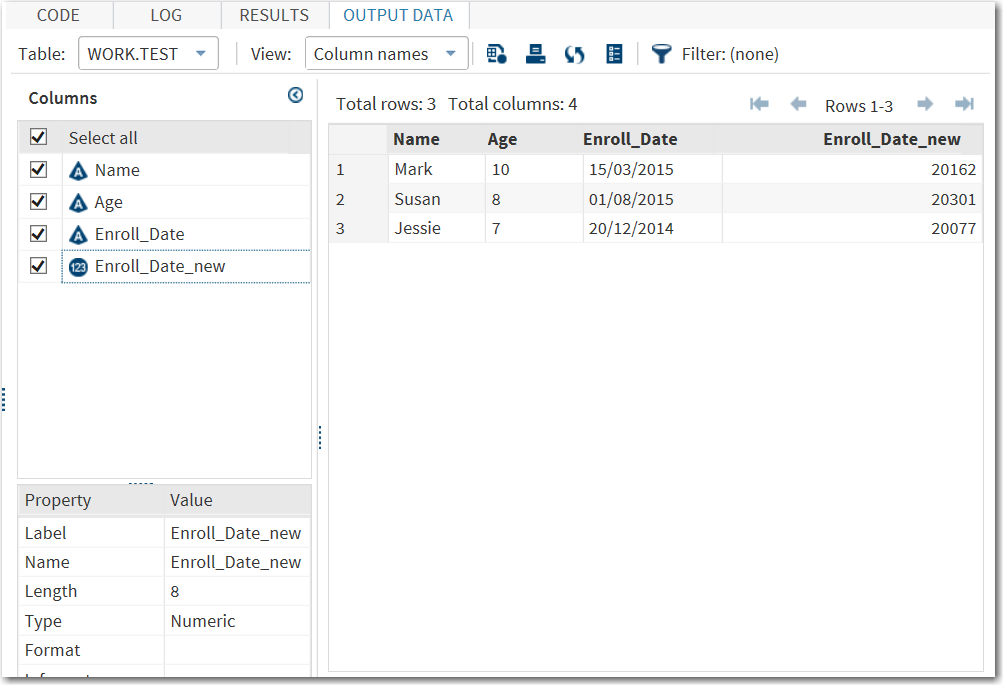
On the Code tab, you should see the following SAS code:data WORK.Test; set WORK.CHARACTER; Enroll_Date_new=input(Enroll_Date, DDMMYY10.); run;
-
Copyright © SAS Institute Inc. All rights reserved.