
| Introduction |
What Is Stat Studio?
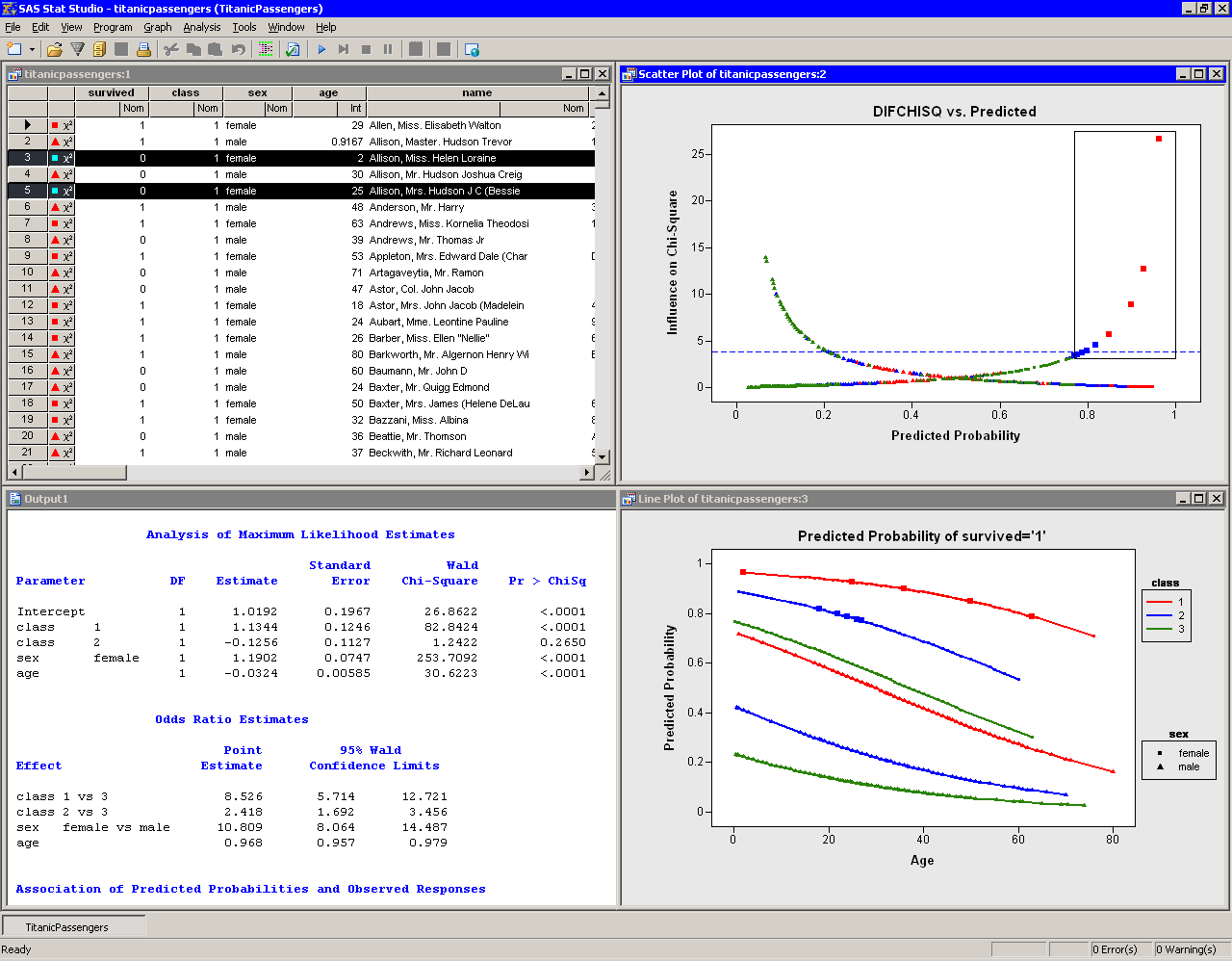
Stat Studio is a tool for data exploration and analysis. Figure 1.1 shows a typical Stat Studio analysis. You can use Stat Studio to do the following:
- explore data through graphs linked across multiple windows
- subset data
- analyze univariate distributions
- fit explanatory models
- investigate multivariate relationships
|
Figure 1.1: The Stat Studio Interface
In addition, Stat Studio provides an integrated development environment that enables you to write, debug, and execute programs that combine the following:
- the flexibility of the SAS/IML matrix language
- the analytical power of SAS/STAT procedures
- the data manipulation capabilities of Base SAS
- dynamically linked graphics for exploratory data analysis
The programming language in Stat Studio, which is called IMLPlus, is an enhanced version of the IML programming language. IMLPlus extends IML to provide new language features such as the ability to create and manipulate statistical graphics and to call SAS procedures.
Stat Studio requires that you have a license for Base SAS, SAS/STAT, and SAS/IML. Stat Studio runs on a PC in the Microsoft Windows operating environment.
Copyright © 2008 by SAS Institute Inc., Cary, NC, USA. All rights reserved.