Data Flow Architecture
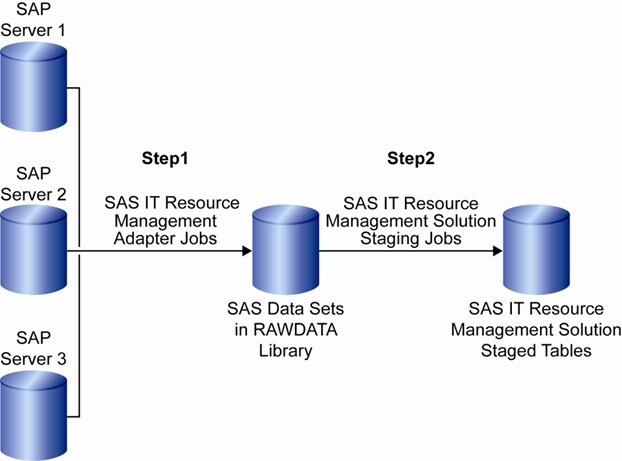
The SAS IT Resource
Management Adapter for SAP begins a data flow that moves data from
source SAP systems to the Rawdata library. The performance data is
stored in the Rawdata library as SAS data sets. The SAS IT Resource
Management solution uses these raw data sets as input and provides
solutions for your business needs.
Source data from various
SAP systems flows through a series of extraction, transformation,
and loading processes to be converted into a usable format for SAS
IT Resource Management. Figure 1.2 details the basic concept behind
this data flow. The SAS IT Resource Management Adapter for SAP plays
its role in the first step of the model.