Program Editor Options
You can configure aspects of the SAS/IML Studio program editor. The program editor is used to write and debug IMLPlus programs. IMLPlus programming is described in SAS/IML Studio for SAS/STAT Users and in the SAS/IML Studio online Help. You can display the online Help by selecting → from the main menu.
To display the Program Editor tab (shown in Figure 34.5), select → from the main menu, and click Program Editor.
Figure 34.5: The Program Editor Tab
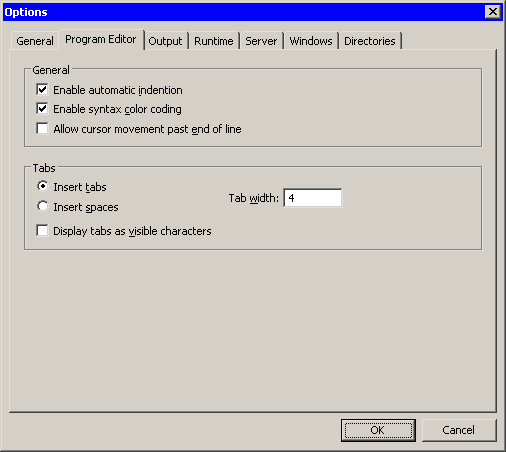
The Program Editor tab has the following fields:
- Enable automatic indention
-
specifies whether the program editor automatically indents new lines to match the indention of the previous line.
- Enable syntax color coding
-
specifies whether the program editor color-codes keywords, string literals, comments, and predefined IMLPlus constants.
- Allow cursor movement past end of line
-
specifies whether you can move the cursor beyond an end-of-line character in the program editor.
- Insert tabs/spaces
-
specifies whether the program editor inserts a tab character or space characters when you press the TAB key, and when the program editor automatically indents a line.
- Tab width
-
specifies the width (in characters) of the tab positions.
- Display tabs as visible characters
-
specifies whether the program editor displays each tab character as the symbol
 .
.