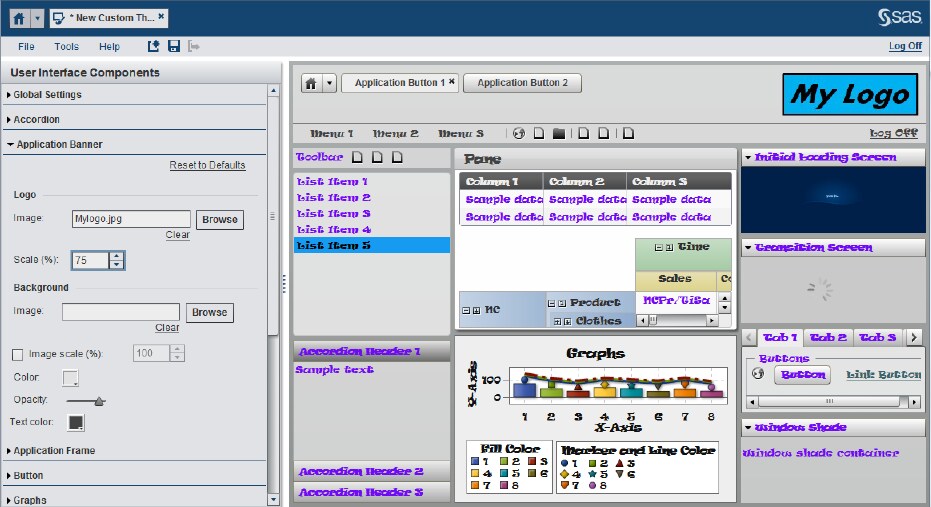
To replace the SAS logo
(on the right edge of the application banner) with a different image,
follow these steps:
-
In the list for the
User
Interface Components pane, select
Application
banner.
-
In the
Logo group
box, click
Browse. Locate and select the
image that you want to use from your local hard drive. In the display
below, the Application Banner has been changed. The image file
MyLogo.jpg has
been loaded into the theme.
-
Save and deploy the
custom theme. The theme is now available for use with other functions
in the
File and
Tool menus.