Submitting a Job for Immediate Execution
Solution
You can
submit a job from the Job Editor window after
you have defined its metadata. Until you submit a job, its output
tables (or targets) might not exist on the file system. Note that
you can open multiple jobs in multiple process designer windows and
submit each job for execution. These jobs execute in the background,
so you can do other tasks in SAS Data Integration Studio while a job
is executing. Each job has its own connection to the SAS Application
Server so that the jobs can execute in parallel. Perform the following
tasks:
Note: Two jobs that
load the same target table should not be executed in parallel. They
will either overwrite each other's changes, or they will try to open
the target at the same time.
The SAS
Application Server that executes the job must be installed, and the
appropriate metadata must be defined for it. For details, see Selecting a Default SAS Application Server.
Tasks
Submit a Complete Job
You can submit a job that is displayed in a Job Editor window. Click Run on the toolbar for the job, or right-click on a blank space in the
job and click Run in the pop-up menu. The
job is submitted to the default SAS Application Server and to any
server that is specified in the metadata for a transformation within
the job.
Submit Selected Transformations in a Job
You can
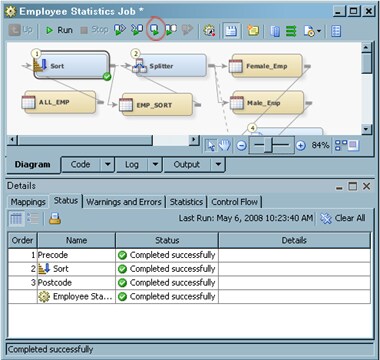
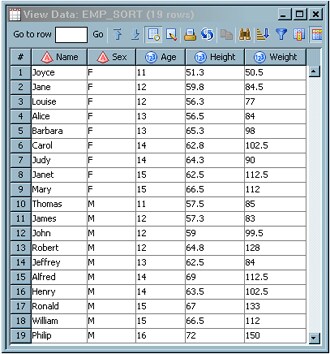
submit selected transformations in a job that is displayed in a Job Editor window. This function enables you to submit
a portion of a job without submitting the entire job. For example,
you can re-sort a long job without consuming the resources that are
required if you submit the entire job. Perform the following steps
to submit selected transformations in a job:
Submit a Segment of a Job
You can submit a segment of a job that either begins
or ends at a selected transformation. To begin a job submission at
a selected transformation, select the transformation and click Run From Selected Transformation on the Job Editor window toolbar. To end a job submission at
a selected transformation, select the transformation and click Run To Selected Transformation on the toolbar.
Submit a Job to a Grid
You can submit a job to a grid provided
that the job is grid-enabled and the default SAS Application Server
is configured for grid computing. To grid-enable a job, click Yes in the drop-down menu in the Enable
parallel processing macros field on the Options tab of the properties window for the job.