SAS Data Loader for Hadoop
SAS Data Loader for
Hadoop provides data integration, data quality, and data preparation
capabilities without requiring you to write code. Your advanced users
can edit and run HiveQL, Impala, or SAS DS2 code. Code runs inside
Hadoop for improved performance.
You can also use SAS
Data Loader for Hadoop to lift data into memory on the SAS LASR Analytic
Server. Then you can use SAS Visual Analytics to do further visualization
or analysis of that data.
You can use Hadoop regardless
of your technical background. If you are a business analyst with little
or no experience with Hadoop, you can use the wizard-based directives
to merge, filter, and sort large distributed data sources.
For example, you can
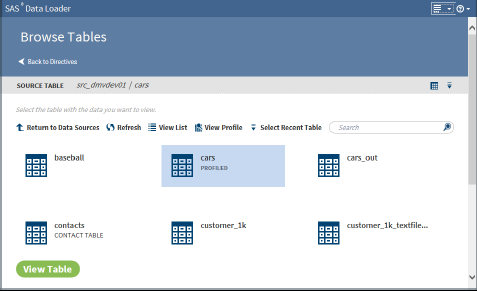
use the Browse Tables directive to see the
available tables, as shown in the following display:
Browse Tables Directive
Then you can click View
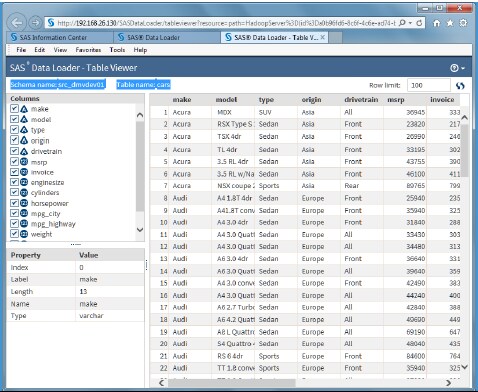
Table to see the table in the Table Viewer interface,
which is shown in the following display:
Table Viewer
Directives to perform
the following types of functions are provided:
Acquire and Discover
Browse Tables, Import
a File, Profile Data, Save Profile Reports, Copy Data to Hadoop
Transform and Integrate
Chain Directives, Query
a Table in Hadoop, Query or Join Data, Run a Hadoop SQL Program, Run
a SAS Program, Run Status, Transpose Data, Transform Data in Hadoop,
Delete Rows, Save Directives
Cleanse and Deliver
Cleanse Data in Hadoop,
Load Data to LASR, Match-Merge Data, Cluster-Survive Data, Sort and
De-Duplicate Data
SAS Data Loader for
Hadoop supports the data query and manipulation features in HiveQL.
It also supports the data transformation features offered with SAS
DS2, Quality Knowledge Bases, and SAS LASR Analytic Server.
You can use the Transform
Data in Hadoop directive, for example, to select a source table, select
one or more transformations, and select a target. Then you can apply
transformations to filter, manage columns, and create summarized (aggregate)
columns. The Profile Data directive enables you to select source columns
from one or more tables to report uniqueness, incompleteness (null
or blank), and patterns.
Programmers with experience
in Hadoop and SAS also benefit from the simplicity of SAS Data Loader
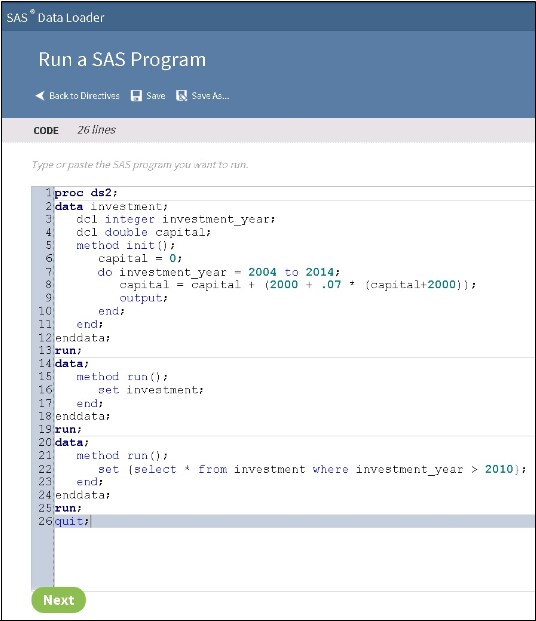
for Hadoop. Existing SAS DS2 programs and Hive SQL queries can be
dropped into directives for repeat execution in Hadoop, with status
monitoring in SAS Data Loader. HiveQL and DS2 code is generated as
a result of certain directives. This code can be edited.
Copyright © SAS Institute Inc. All rights reserved.