Problem Note 60204: The "SAS server" setting is ignored when using the Browse button for the "File or directory" prompt type in a SAS® web application
 |  |  |  |
When a File or directory prompt is defined for a SAS® Stored Process, the properties for this prompt type require that you select a SAS® Workspace Server (for example, SASApp - Logical Workspace Server) as the SAS server to use for providing the prompt interface.
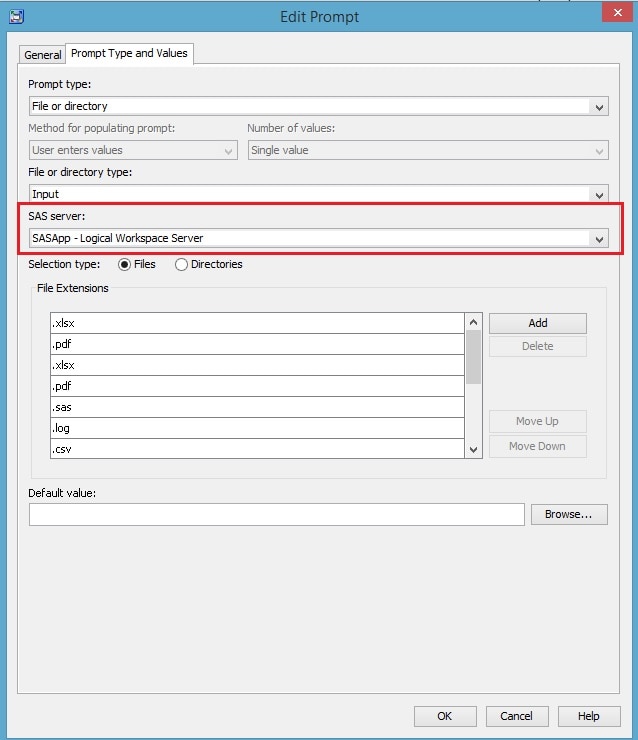
In some cases, the SAS server property is ignored and a SAS® Pooled Workspace Server is used instead.
If you execute a stored process that uses the File or directory prompt type in a SAS desktop application such as SAS® Enterprise Guide®, the following rules apply:
- The SAS Workspace Server (for example, SASApp - Logical Workspace Server) that was selected as the SAS server is used for the File or directory prompt interface.
- The Browse button for the File or directory prompt honors the File Navigation setting specified in the metadata properties for the designated workspace server.
- The SAS Workspace Server is launched using the client logon credentials, and file-system permissions to access files and directories in the prompt are based on this user ID.
However, if a stored process that uses the File or directory prompt type is executed in a SAS web application such as the SAS® Information Delivery Portal or the SAS® Stored Process Web Application, then the following rules apply:
- The SAS server property in the prompt definition is ignored.
- A SAS Pooled Workspace Server (for example, SASApp - Logical Pooled Workspace Server) is used for the File or directory prompt interface.
- The Browse button for the File or directory prompt always displays the system-root directory on the application server machine instead of using the File Navigation setting in the metadata properties for the pooled workspace server.
- The SAS Pooled Workspace Server is launched using multi-user credentials (by default, the sassrv user account), and file-system permissions to access files and directories in the prompt are based on this user ID.
There is no way to force the web applications to use the selected SAS server when the Browse button is clicked in the File or directory prompt.
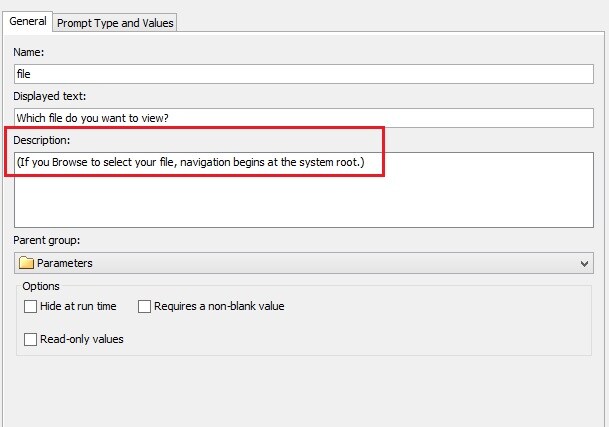
You can clarify the file navigation behavior in web clients by using the Description field of the prompt to instruct users about how to navigate if they use the Browse button.
For example, you can add a prompt description similar to the following on the General tab of the properties for this prompt type:
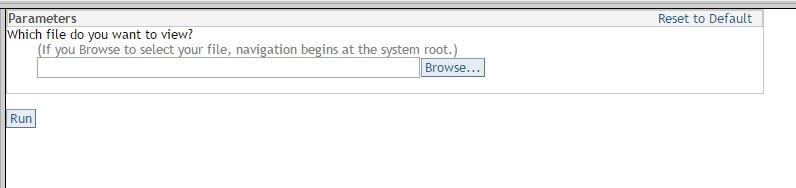
Here is what the description text looks like in the client application:
You might be able to accomplish your goal by using the file upload capabilities of the SAS® Stored Process Web Application. For details and examples, refer to the documentation on Uploading Files in the SAS(R) 9.4 Integration Technologies / SAS Stored Processes: Developer’s Guide.
Operating System and Release Information
| Product Family | Product | System | SAS Release | |
| Reported | Fixed* | |||
| SAS System | SAS Integration Technologies | z/OS | 9.4 TS1M0 | |
| Microsoft® Windows® for x64 | 9.4 TS1M0 | |||
| Microsoft Windows 8 Enterprise x64 | 9.4 TS1M0 | |||
| Microsoft Windows 8 Pro x64 | 9.4 TS1M0 | |||
| Microsoft Windows 8.1 Enterprise 32-bit | 9.4 TS1M0 | |||
| Microsoft Windows 8.1 Enterprise x64 | 9.4 TS1M0 | |||
| Microsoft Windows 8.1 Pro 32-bit | 9.4 TS1M0 | |||
| Microsoft Windows 8.1 Pro x64 | 9.4 TS1M0 | |||
| Microsoft Windows 10 | 9.4 TS1M0 | |||
| Microsoft Windows Server 2008 R2 | 9.4 TS1M0 | |||
| Microsoft Windows Server 2008 for x64 | 9.4 TS1M0 | |||
| Microsoft Windows Server 2012 Datacenter | 9.4 TS1M0 | |||
| Microsoft Windows Server 2012 R2 Datacenter | 9.4 TS1M0 | |||
| Microsoft Windows Server 2012 R2 Std | 9.4 TS1M0 | |||
| Microsoft Windows Server 2012 Std | 9.4 TS1M0 | |||
| Windows 7 Enterprise x64 | 9.4 TS1M0 | |||
| Windows 7 Professional x64 | 9.4 TS1M0 | |||
| 64-bit Enabled AIX | 9.4 TS1M0 | |||
| 64-bit Enabled Solaris | 9.4 TS1M0 | |||
| HP-UX IPF | 9.4 TS1M0 | |||
| Linux for x64 | 9.4 TS1M0 | |||
| Solaris for x64 | 9.4 TS1M0 | |||
| Type: | Problem Note |
| Priority: | medium |
| Date Modified: | 2017-04-17 12:30:49 |
| Date Created: | 2017-03-29 15:06:24 |