Installation Note 46647: Running SAS® Merchandise Planning, what type of database template and parameters are recommended when building the database with the Oracle DBCA tool?
 |  |  |  |

Also, make sure the “Includes Datafiles“ value is set to “NO”. You never want to select a template which has a value “YES” in the “Includes Datafiles“ column, because many of the default settings will not be correct for SAS Merchandise Planning databases.
During this database creation is also a good time to change some Oracle parameters per the SAS® Merchandise Planning 6.1.3 Installation and Configuration Guide. You would also want to consult your SAS Professional Services team to set the parameters based on your business need and environment. These parameters are found in Step 10 in DBCA and can be accessed by clicking the "All Initialization Parameters" button.
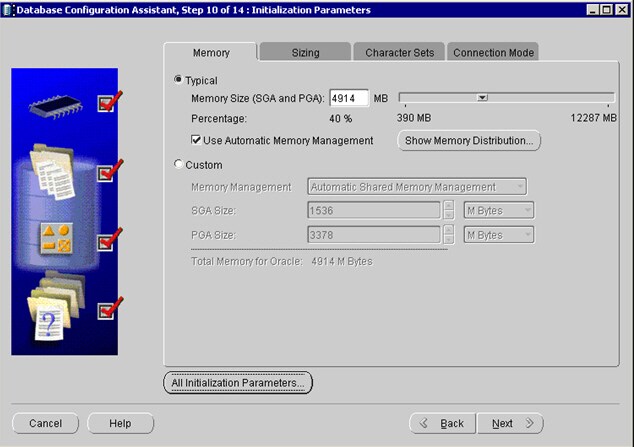
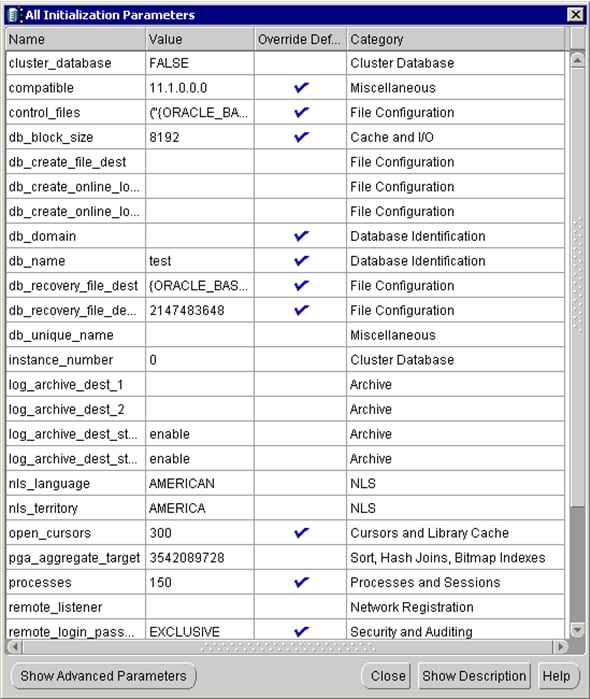
Below are listed some important parameters to consider depending on your hardware that are not listed in our documentation.
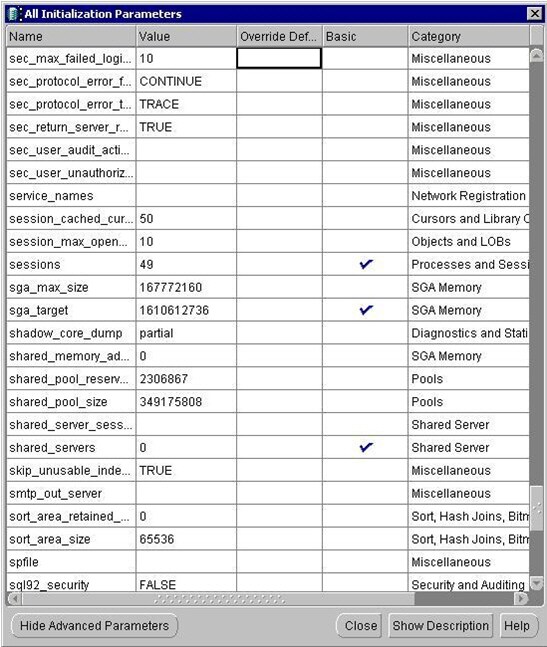
sga_max_size
sga_target
These are the general guidelines if you are using one database server on one machine. If you environment has more than one database on the server, these recommendations will not apply, and you will need to consult your dba. For these settings, allocate 20% of physical memory to the OS, 40% for sga_target (=sga_max_size) and 40% to pga_aggregate_target. This is very different from Oracle’s general guideline for these settings, but our recommendations come from experience with many Merchandise Planning customer databases.
Some of the parameters are accessed by clicking the “All Initialization Parameters’ button.
More parameters are found by clicking the “Show Advanced Parameters” button on bottom of the first “All Initialization Parameters” screen.
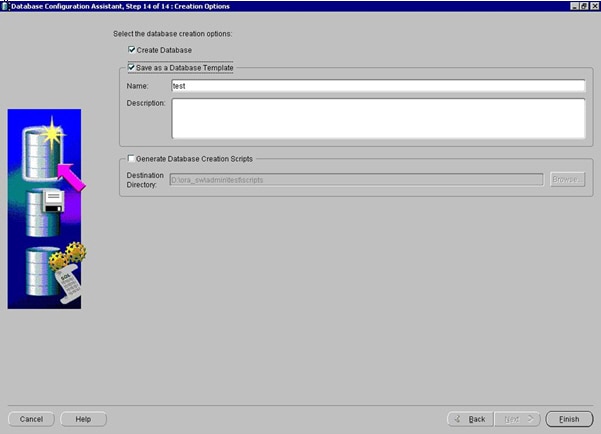
And lastly, don’t forget to check the “Save as a Database Template” check box on Step 14. If you don’t do this step, your template will not be saved.
Operating System and Release Information
| Product Family | Product | System | Product Release | SAS Release | ||
| Reported | Fixed* | Reported | Fixed* | |||
| SAS System | SAS Merchandise Financial Planning and SAS Merchandise In-Season Management | 64-bit Enabled AIX | 6.1.3M6 | 9.1 TS1M3 SP4 | ||
| Microsoft Windows Server 2003 Standard Edition | 6.1.3M6 | 9.1 TS1M3 SP4 | ||||
| Microsoft Windows Server 2003 Enterprise Edition | 6.1.3M6 | 9.1 TS1M3 SP4 | ||||
| Microsoft Windows Server 2003 Datacenter Edition | 6.1.3M6 | 9.1 TS1M3 SP4 | ||||
| 64-bit Enabled Solaris | 6.1.3M6 | 9.1 TS1M3 SP4 | ||||
| Type: | Installation Note |
| Priority: | medium |
| Date Modified: | 2012-05-30 12:56:26 |
| Date Created: | 2012-05-23 14:06:17 |