Usage Note 32849: Associating the My Favorites Folder or a library to the SAS Explorer window
 |  |  |  |
You can open the SAS Explorer window that is associated with the My Favorites Folders from the SAS command line. To do so, perform the following steps:
- Start SAS by selecting Start ► Programs ► SAS ► SAS 9.x.
- In the SAS command box enterthe following: exproot files
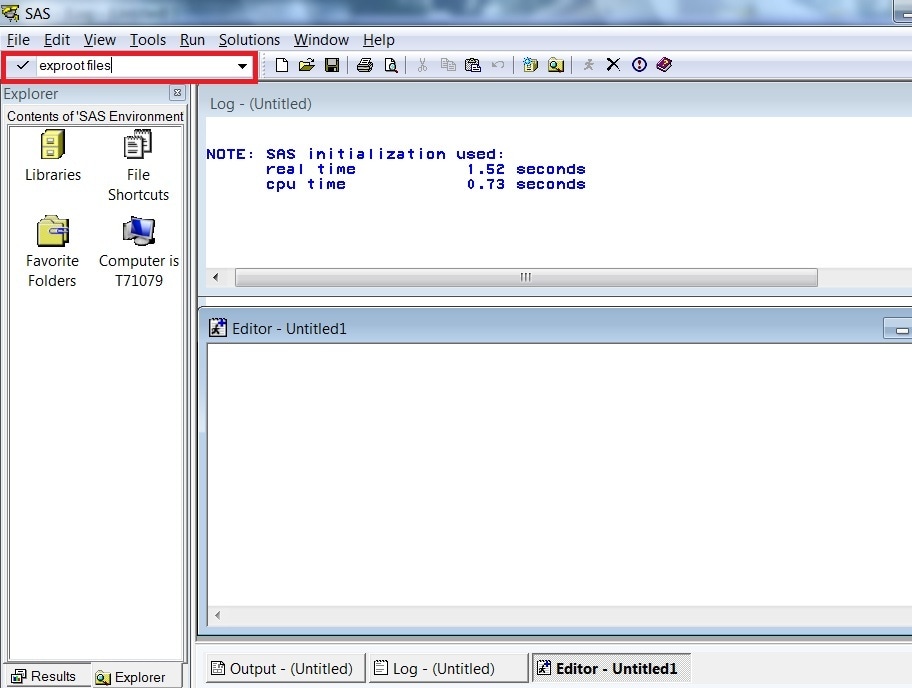
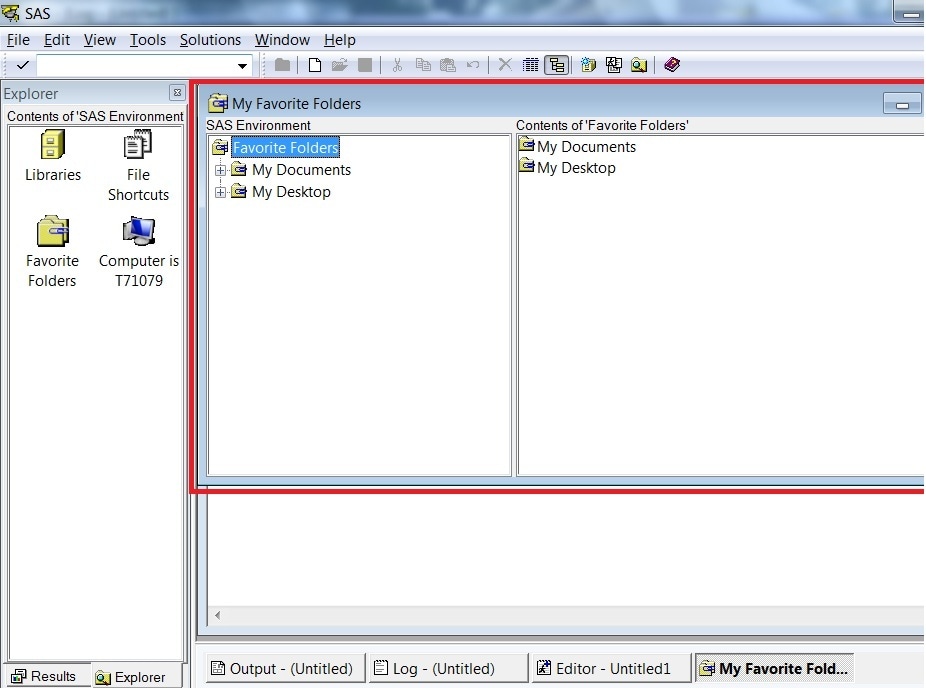
The SAS Explorer opens in the My Favorites Folders window, as shown below.
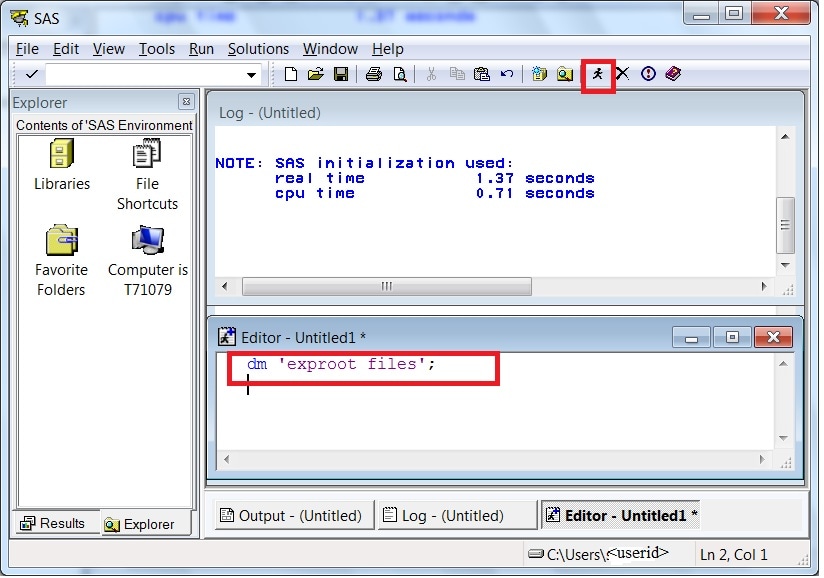
You can programmatically open the My Favorites Folders in SAS. In the Enhanced Editor Window enter dm 'exproot files'; and then click the SAS running man icon to submit your code:
You can programmatically open the SAS Explorer window, as well. Submit this code: dm 'explorer';
To associate a library with the existing My Favorites Folder, perform the following steps:
- Open SAS and open the SAS Explorer window.
- Scroll down and click Favorite Folders.
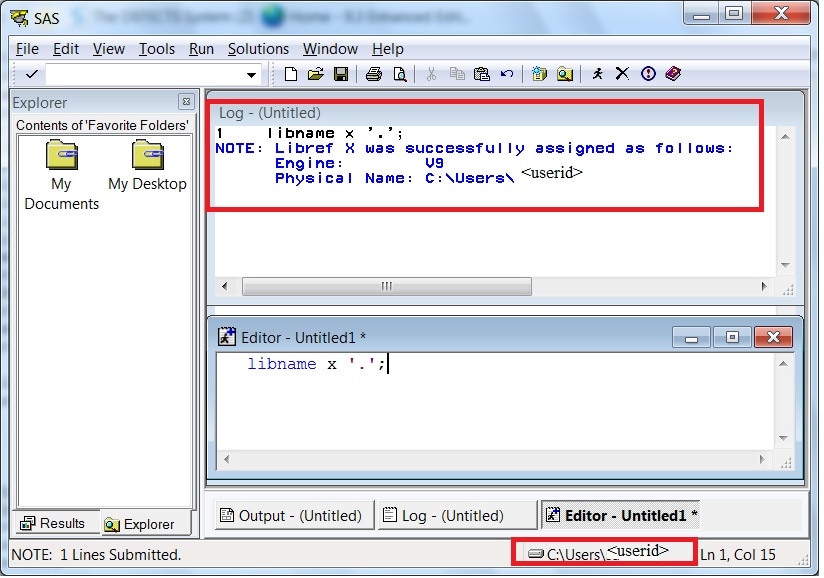
- In the Enhanced Editor Window, submit the following code:
libname x '.';. Then, click the SAS running man icon to submit your code.
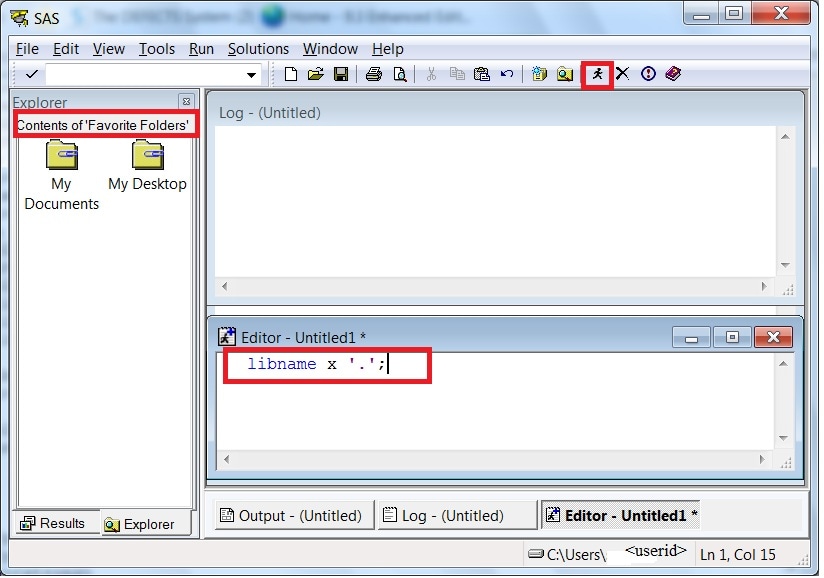
The location of the Favorites Folder is displayed in the SAS log window as shown in this example:
   1    libname x '.';
   NOTE: Libref X was successfully assigned as follows:
         Engine:        V9
         Physical Name: C:\Users\
Additional details about this topic are included in the Help in your SAS session.
Operating System and Release Information
| Product Family | Product | System | SAS Release | |
| Reported | Fixed* | |||
| SAS System | Base SAS | Microsoft® Windows® for 64-Bit Itanium-based Systems | 9.1 TS1M3 SP4 | |
| Microsoft Windows Server 2003 Datacenter 64-bit Edition | 9.1 TS1M3 SP4 | |||
| Microsoft Windows Server 2003 Enterprise 64-bit Edition | 9.1 TS1M3 SP4 | |||
| Microsoft Windows XP 64-bit Edition | 9.1 TS1M3 SP4 | |||
| Microsoft Windows 2000 Advanced Server | 9.1 TS1M3 SP4 | |||
| Microsoft Windows 2000 Datacenter Server | 9.1 TS1M3 SP4 | |||
| Microsoft Windows 2000 Server | 9.1 TS1M3 SP4 | |||
| Microsoft Windows 2000 Professional | 9.1 TS1M3 SP4 | |||
| Microsoft Windows NT Workstation | 9.1 TS1M3 SP4 | |||
| Microsoft Windows Server 2003 Datacenter Edition | 9.1 TS1M3 SP4 | |||
| Microsoft Windows Server 2003 Enterprise Edition | 9.1 TS1M3 SP4 | |||
| Microsoft Windows Server 2003 Standard Edition | 9.1 TS1M3 SP4 | |||
| Microsoft Windows XP Professional | 9.1 TS1M3 SP4 | |||
| Windows Vista | 9.1 TS1M3 SP4 | |||
| Windows Vista for x64 | 9.1 TS1M3 SP4 | |||
| Type: | Usage Note |
| Priority: |
| Date Modified: | 2012-07-13 15:15:18 |
| Date Created: | 2008-08-04 09:32:12 |