Sample 26095: Reading Delimited Raw Data in SAS Enterprise Guide
 |  |  |  |
Input data
This example uses data from a file named Eruptions.csv. There are four variables: the name of each volcano, followed by the date an eruption started, the date that eruption ended, and the Volcanic Explosivity Index (VEI). Notice that this file has commas between the data values, and the first line contains the column names.
Volcano, StartDate, EndDate, VEI
Barren Island, 12/20/1795, 12/21/1795, 2
Barren Island, 12/20/1994, 06/05/1995, 2
Erebus, 12/12/1912, . , 2
Erebus, 01/03/1972, . , 1
Etna, 02/06/1610, 08/15/1610, 2
Etna, 06/04/1787, 08/11/1787, 4
Etna, 01/30/1865, 06/28/1865, 2
Etna, 12/16/2005, 12/22/2005, 1
Opening a delimited data file
To open a delimited data file, select
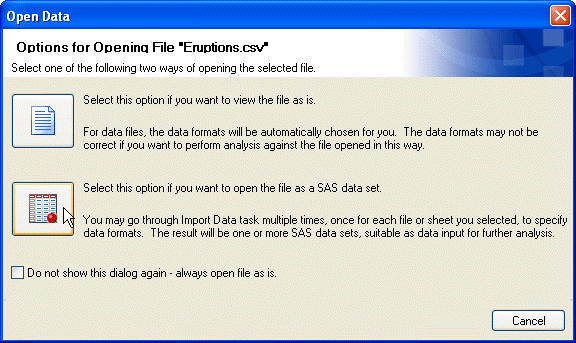
File ► Open ► Datafrom the menu bar. In the Open Data From window, select Local Computer (or SAS Servers). Then in the Open From My Computer window (or the Open From SAS Servers window), navigate to the location of the file. Once you have found the file you want, click Open. In the Open Data window, you can choose to open a raw data file as is or as a SAS data set. If you open the file as is, then SAS Enterprise Guide displays the file in a simple text editor. You can look at the data, and you can edit the data, but you cannot use a raw data file for any task when it is opened as is. Therefore, you will generally want to open a raw data file as a SAS data set. To do this, click the SAS data set icon in the Open Data window.
Import Data window
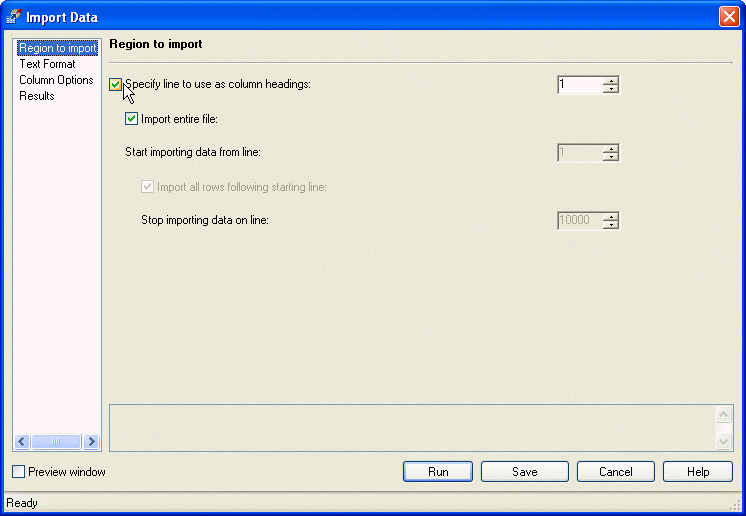
The Import Data window has several parts. In the Region to import page, you tell SAS Enterprise Guide which rows to import and which row (if any) to use as column headings. For the Eruptions.csv file, use the first line as column headings and import the entire file.
Preview window
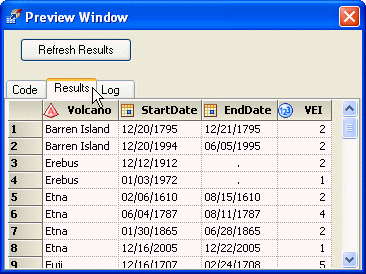
To see how your data will look once SAS Enterprise Guide imports the file, check the Preview window box in the lower-left corner of the Import Data window. Then, in the Preview Window, click the Results tab. If you make a change, click Refresh Results.
Text Format
In the Text Format page, you tell SAS Enterprise Guide whether your file is delimited or fixed width. If your file is delimited, you must specify whether the delimiter is a comma, semicolon, tab, space, or some other character. The Eruptions.csv file uses commas as delimiters.

Column Options
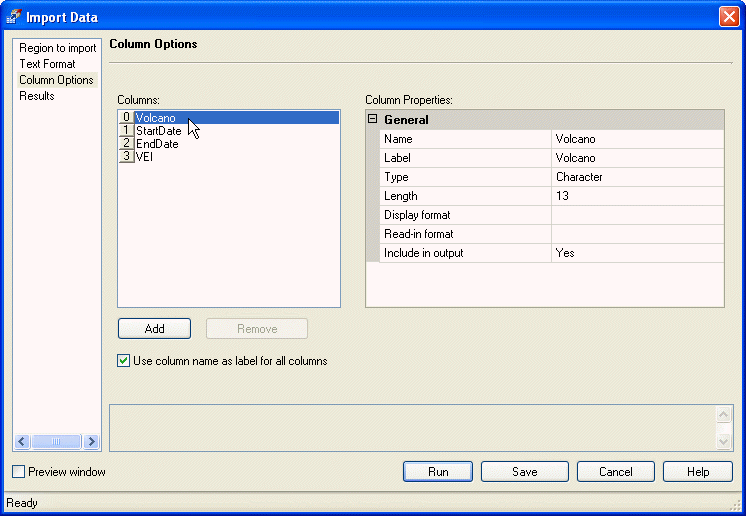
In the Column Options page, you can change column properties. If the file does not include column headings, you’ll probably want to type them here. To change properties, click a column name in the Columns box on the left, and type the new properties in the Column Properties box on the right. For the Eruptions.csv file, you don’t need to make any changes in the Column Options page. Once you are satisfied with the options in the Import Data window, click Run and SAS Enterprise Guide will create the new data set.
Results
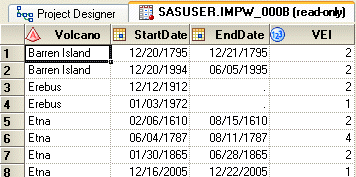
The data set will appear in a Data Grid. The data set opens in read-only mode, but because the data are now in a SAS data set, you can change to update mode to edit the data. SAS Enterprise Guide gives the data set a name starting with the letters IMPW and stores it in a default location. To choose a different name or location, use the Results page in the Import Data window.
About the Authors
In 1992, Susan Slaughter and Lora Delwiche teamed up to write The Little SAS Book: A Primer, now in its third edition, which quickly became a popular item on SAS users' bookshelves. They have presented numerous papers at local, regional, and international SAS users group meetings. Their interactions with other SAS users have inspired them to write books that are both informative and enjoyable to use. Susan currently works as a consultant through her company, Avocet Solutions, while Lora works in research at the University of California, Davis.
Their books are available from the online bookstore.
- The Little SAS Book for Enterprise Guide 4.1
- The Little SAS Book for Enterprise Guide 3.0
- The Little SAS Book: A Primer, Third Edition
- The Little SAS Book: A Primer, Second Edition
- The Little SAS Book: A Primer
These sample files and code examples are provided by SAS Institute Inc. "as is" without warranty of any kind, either express or implied, including but not limited to the implied warranties of merchantability and fitness for a particular purpose. Recipients acknowledge and agree that SAS Institute shall not be liable for any damages whatsoever arising out of their use of this material. In addition, SAS Institute will provide no support for the materials contained herein.
These sample files and code examples are provided by SAS Institute Inc. "as is" without warranty of any kind, either express or implied, including but not limited to the implied warranties of merchantability and fitness for a particular purpose. Recipients acknowledge and agree that SAS Institute shall not be liable for any damages whatsoever arising out of their use of this material. In addition, SAS Institute will provide no support for the materials contained herein.
| Type: | Sample |
| Topic: | Non SAS Authors ==> Lora Delwiche Non SAS Authors ==> Susan Slaughter Internal Administration ==> BBU |
| Date Modified: | 2006-11-08 03:02:59 |
| Date Created: | 2006-09-19 14:56:10 |
Operating System and Release Information
| Product Family | Product | Host | SAS Release | |
| Starting | Ending | |||
| SAS System | SAS Enterprise Guide | All | 9 TS M0 | 9.1 TS1M3 |
| SAS System | Base SAS | All | 9 TS M0 | 9.1 TS1M3 |