Rename and Format the New Column
In the
Column Name
and the
Label
boxes, type
Total Profit
.
Click to view the full window.
In the
Format
box located at the bottom of the page, notice that no format is specified. Click
Change
.
Click to view the full window.
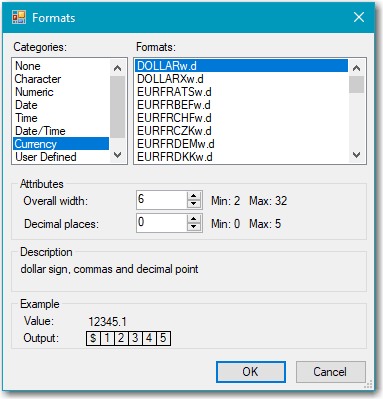
In the
Categories
box, select
Currency
. In the
Formats
box, select
DOLLARw.d
, and then click
OK
.
Click
Next
to view a summary of the properties for the computed column, and then click
Finish
.
Click
Close
to close the Computed Columns window.
Next you run the query and view the output.