



|
|
|
| ||
| ||
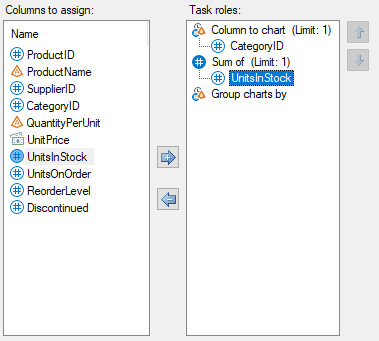
Assign Columns to Roles In these steps you assign a column that determines the different bars and a column that determines the length of each bar.
|
 |
As you select options in the task window, SAS Enterprise Guide generates the SAS code that creates the results. If you want to see the code, click the Preview code button in the task window. |
| Next you run the task and view the bar chart. |
|
|
|