logo Getting Started with SAS Enterprise Guide Main menubacknext
    

Select Analysis Variables and Statistics

On this page of the wizard, you select the variables that you want to analyze and the statistics that you want to include in your report.

  1. Click Add and select Total Profit. By default, Sum is selected for the statistic. Because sum is one of the statistics that you want to include in the report, leave it selected. You also want the report to include average and percentage of total, so you must add Total Profit to the list two more times in the following steps.


Total Profit variable and Sum statistic
Click to view the full window.


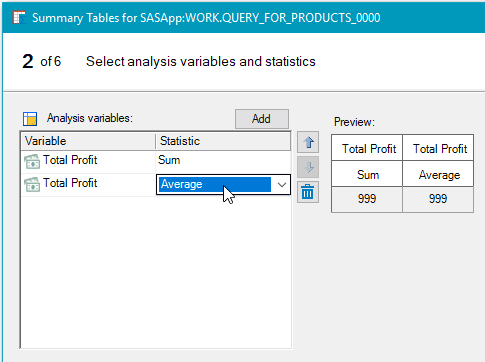
  1. Click Add and select Total Profit. Click the Statistic drop-down list and select Average.

Total Profit variable and Average statistic
Click to view the full window.


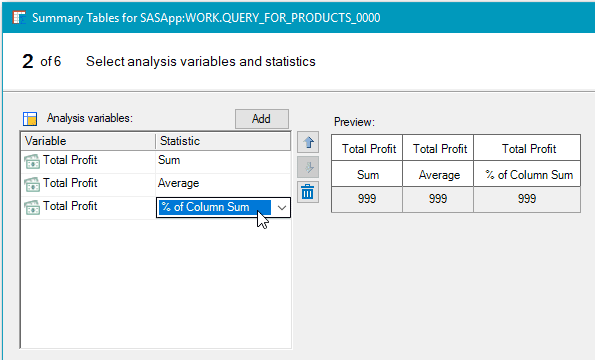
  1. Click Add and select Total Profit. Click the Statistic drop-down list and select % of Column Sum.

Total Profit variable and Percent of Column Sum statistic
Click to view the full window.


  1. Click Next.

Main menubacknext