



|
|
|
| ||
| ||
The Task List In
SAS Enterprise Guide, you use tasks to do everything from manipulating
data, to running specific analytical procedures, to creating reports. Many tasks are also available as wizards, which contain a limited number of options and can provide a quick and easy way to use some of the tasks.
You choose tasks and wizards by using the Task List or by using menus. The Task
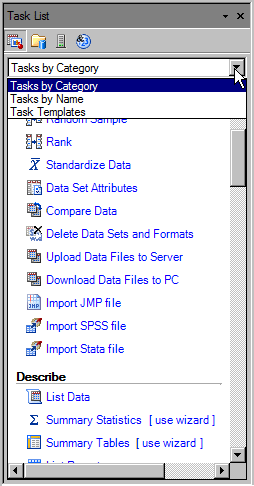
List is hidden by default, but you can display it by clicking the Task List button The Task List has three views. The Tasks by Category view lists individual tasks, grouped by type. The Tasks by Name view lists individual tasks alphabetically. The Tasks by Name view also lists the SAS procedures that are related to the task. You can use the Task Templates view to save your settings for a specific task to a template. You can then run that template with any input data source. |
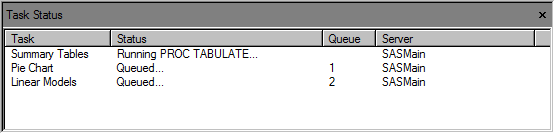
In this tutorial, you use the Tasks menu to select tasks. The Task Status Window The Task Status window displays messages about the status
of tasks as they are processing. The Task Status window is not displayed by default, but you can view it by selecting View |
| Next you learn about the help that is available with SAS Enterprise Guide. |
|
|
|
 in the Resources pane in the lower-left corner of the workspace.
  Task Status. The Process Flow window also displays
a different background color around the task item for each phase of processing.
Task Status. The Process Flow window also displays
a different background color around the task item for each phase of processing.