By default, labels have the same color as the arrow. To modify the text color independently of the arrow color, select →→. The Customize Color window, similar to the following, will open:
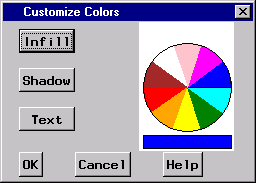
To change the text color of all the arrows[25] in the Ishikawa diagram, do the following:
-
Select a color from the color palette.
-
Select .
Once modified, the text color is unaffected by changes to the arrow color. To relink the text color to the arrow color, do the following:
-
Select the current text color from the color palette (if it is not already the current color).
-
Select .
Select to close the dialog window. To cancel the changes, select .