%RMMSSCOM
%RMMSSCOM
Special Considerations for the Amazon Web Services (AWS) Management Pack
-
System Center 2012 - Operations Manager
-
System Center Operations Manager 2007 R2
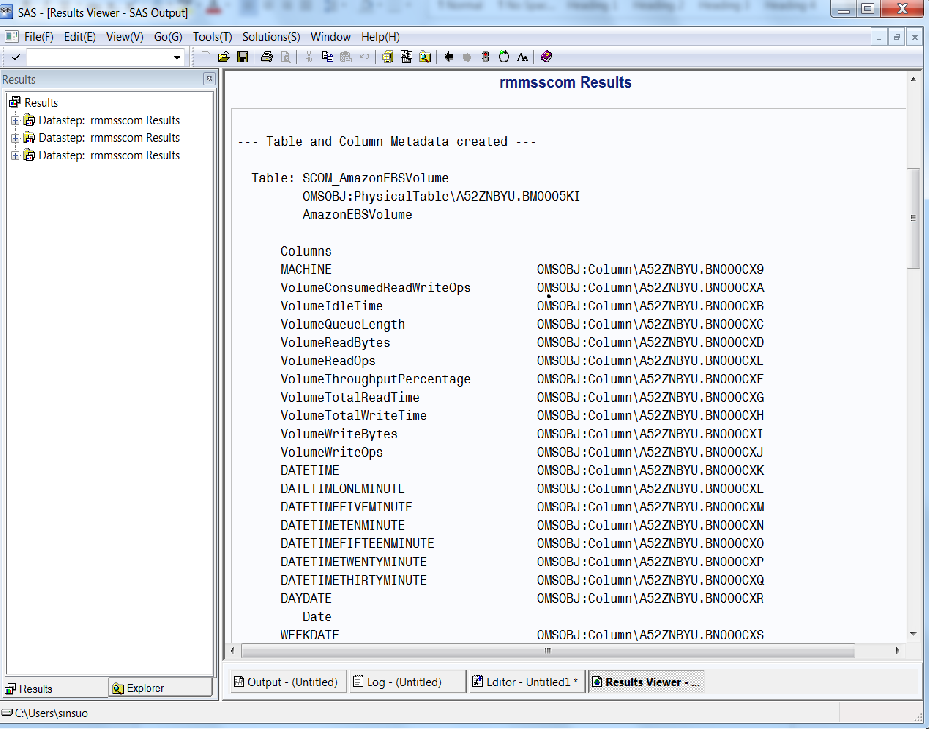
%RMMSSCOM Syntax
MPFILE=path-and-filename-of-the-management-pack
,METAPASS=user-password
,METASERVER=name-of-metadata-server
,METAUSER=user ID
,OUTPUTFILEPATH=path-of-output-text-file
<,APPSERVER=name-of-application-server>
<,FILEDEVICE=type-of-device>
<,FILENOOFVOLUMES=number-of-volumes>
<,FILESPACEPRIMARY=primary-space-allocation>
<,FILESPACESECONDARY=secondary-space-allocation>
<,JOBID=metadata-id-of-staging-job>
<,CREATEMETADATA=Yes | No>
<,METAPORT=metadata-server-port>
<,METAREPOSITORY=name-of-metadata-repository>
);
%RMMSSCOM Required Arguments
MPFILE=path-and-filename-of-the-management-pack
specifies the path to the management pack.
METAPASS=user-password
specifies the password to use in authenticating the user ID to the metadata server. Do not enclose the value for this parameter in quotation marks.
METASERVER=name-of-metadata-server
specifies the name of the metadata server. Do not enclose the value for this parameter in quotation marks.
METAUSER=user-ID
specifies the user ID that is to access the metadata server. The user must be able to read and write metadata in the IT data mart. Do not enclose the value for this parameter in quotation marks.
OUTPUTFILEPATH=path-of-output-text-file
specifies the path for a temporary text file called Temp_RMMSCOM.txt. This file will contain the data that is retrieved from the management pack.
%RMMSSCOM Options
APPSERVER=name-of-application-server
specifies the name of the application server.
SASITRM.
CREATEMETADATA=Yes | No
specifies that the macro is to create the metadata for the staging tables.
No, which means do not
create the metadata. The value No only
produces a report of the metadata that would have been created.
FILEDEVICE=type-of-device
specifies the type of device. This value is required only if the library and tables are going to be stored on z/OS with a traditional file system.
FILENOOFVOLUMES=number-of-volumes
specifies the number of volumes. This value is required only if the library and tables are going to be stored on z/OS with a traditional file system.
FILESPACEPRIMARY=primary-space-allocation
specifies the primary space allocation. This value is required only if the library and tables are going to be stored on z/OS with a traditional file system.
FILESPACESECONDARY=secondary-space-allocation
specifies the secondary space allocation. This value is required only if the library and tables are going to be stored on z/OS with a traditional file system.
JOBID=metadata-id-of-staging-job
specifies the metadata ID of the staging job. The metadata-ID should be in the format Axxxxxxxx .Zyyyyyyyy and follow these specifications:
-
Axxxxxxxx is any set of eight alphanumeric characters preceded by the character “A.”
-
Z is any alphabetic character.
-
yyyyyyyy is any set of eight alphanumeric characters.
Yes.
METAPORT=metadata-server-port
specifies the port of the metadata server.
8561. Do not enclose
the value for this parameter in quotation marks.
METAREPOSITORY=name-of-metadata-repository
specifies the name of the metadata repository that contains the IT data mart. Do not enclose the value for this parameter in quotation marks.
Foundation.
%RMMSSCOM Example 1 for the Microsoft SQL Server 2008 R2 Management Pack
%rmmsscom(
          createMetadata=Y,
          jobID=A5016lHR.BP0001MU,
          metaserver=myServer,
          metauser=myUserid,
          mpfile=c:\msscom\SQLServer2008R2.xml,
          outputfilepath=c:\temp
         );
%RMMSSCOM Example 2 for the AWS Management Pack 2012 Management Pack
%rmmsscom(
          MPFile="C:\SCOMTEST\aws\Microsoft.AWS.WebServices.2012.Monitoring.xml",
          outputFilePath=C:\SCOMTEST\aws,
          createMetadata=Y,
          jobID=A52ZNBYU.BS000348,
          metaserver=myServer,
          AppServer=SASApp,
          metaport=8561,
          metauser=myUserid,
          metapass=myPassword
         );