Integrated Windows Authentication
SAS Enterprise Miner
14.1 supports Integrated Windows Authentication (IWA). Functionality
is provided by the SAS Intelligence platform. Detailed information
can be found in SAS 9.4 Intelligence
Platform: Middle-Tier Administration Guide and SAS 9.4 Intelligence
Platform: Security Administration Guide.
To use IWA, you must
follow the configuration instructions provided in SAS 9.4
Intelligence Platform: Middle-Tier Administration Guide.
You should pay careful attention to the following two configuration
steps:
-
Register a Service Provider Name (SPN) with the Windows Active Directory domain controller and obtain a Kerberos Keytag and configure it into the server machine.When IWA is used in conjunction with Kerberos, IWA enables the delegation of security credentials. Kerberos is an industry‐standard authentication protocol that is used to verify user or host identity. The Kerberos protocol uses strong cryptography so that a client can prove its identity to a server (and vice versa) across an insecure network connection.
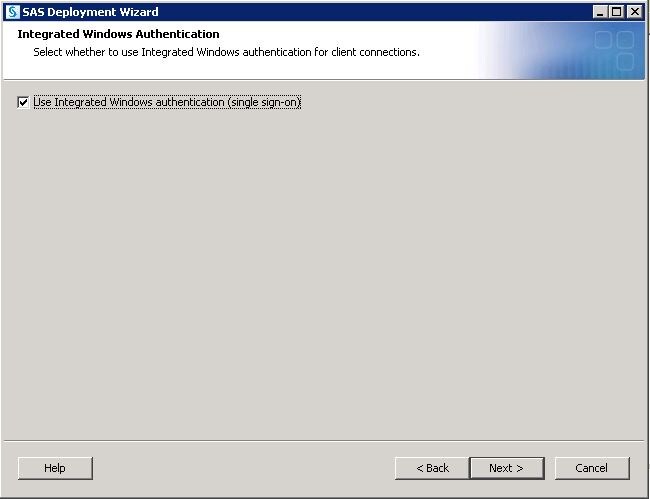
In addition to enabling
the IWS setting, there are manual configuration steps that must be
completed. Follow the instructions in SAS 9.4 Intelligence
Platform: Security Administration Guide to complete
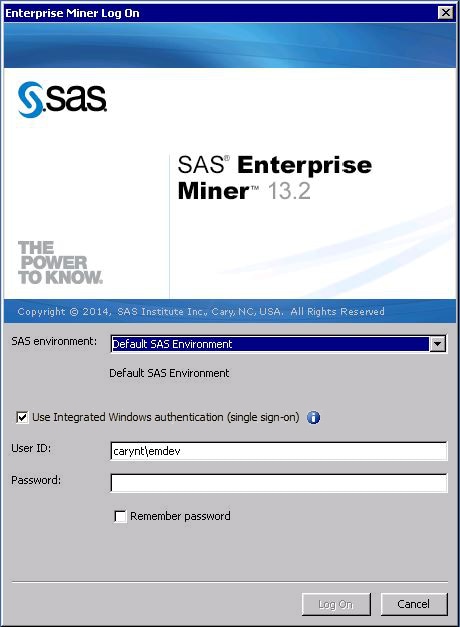
the configuration. After all configurations are complete, the SAS Enterprise
Miner Log On enables users to select Use
Integrated Windows authentication (single sign-on)
and use their Windows log on credentials to log on to SAS Enterprise
Miner.
Copyright © SAS Institute Inc. All rights reserved.