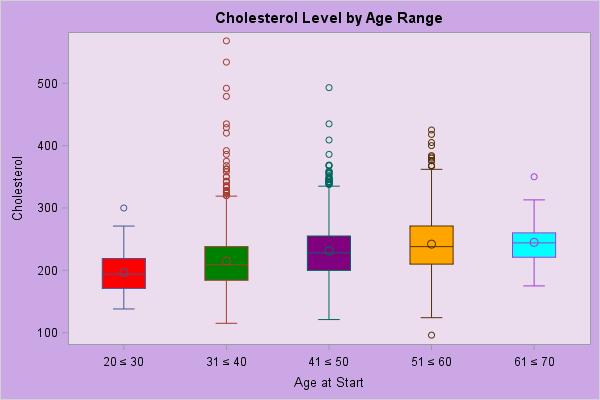
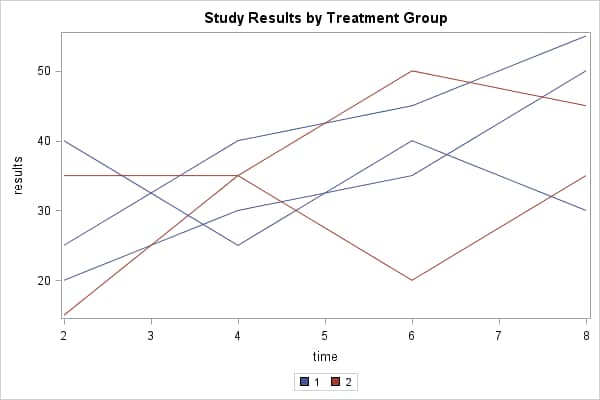
The GACCESSIBLE macro makes it easy to associate usability information with graphs that you produce for Web display using ODS with the GIF, Java-based, or ActiveX-based device drivers. The accessibility information can include a description and/or data that is relevant to the graph, such as the summary statistics that are represented by a bar chart. The macro has parameters that enable you to specify the information you want to associate with the graph. Based on the values you provide on the parameters, the macro writes the accessibility information to the graph's output HTML file and automatically creates a graph footnote that links it.
The macro's output file always contains a link to the accessibility information, but the link text can be hidden. By default the link is visible, which is useful during graph design because you can see the link in the output and manually click on it to test and design the accessibility information. When you are ready for a production run of the SAS program, you can hide the link so it does not appear in the graph display but can nevertheless be detected by an accessibility aid, such as a screen reader.
Macro Syntax
Example Invocations
The GACCESSIBLE macro has several parameters that you can use to control the accessibility information. The general syntax for the macro is
%GACCESSIBLE( FILEREF=fileref
<,DESC=text>
<,DSN=SAS-data-set, VARS=variable(s)>
<,HIDDEN=TRUE|FALSE>
);
The FILEREF= parameter is always required, and it must specify an existing fileref that points to the output HTML file that contains the graph to be described. Although the other parameters are optional, you must also use either DESC= to provide a description, or DSN= and VARS= to provide data that is related to the graph; otherwise, the macro has no information to write to the output file. Typically, you will probably want to provide both descriptive text and related data.
| Parameter | Description |
|---|---|
| FILEREF= | FILEREF= must specify
an existing fileref that points to the HTML file that contains the graph to be described.
This parameter is always required.
Example:
|
| DESC= | DESC= specifies text to describe the graphical output.
If the text contains special characters -- such as a single
or double quote, or a left or right parenthesis -- you must
use a macro quoting function such as %STR to quote these characters.
Example:
Example:
If the text contains a comma, the comma must be macro quoted, but it cannot be preceded by a % sign. Example:
Example:
|
| DSN= | DSN= specifies the name of a SAS data set that contains data that describes the graphical output.
Typically the data that you point to is data that you generate in your
SAS program using a procedure like PROC SUMMARY or PROC MEANS.
If you use DSN=, then you must also use VARS=.
Example:
|
| VARS= | VARS= is required if a DSN= parameter is used. For the data set that is specified on
DSN=, VARS= determines which of the data set
variables will be used in the accessibility output. The variables appear as columns in
an HTML table.
On the DSN= parameter, the variable names must be separated by blank spaces. Example:
|
| HIDDEN= | The GACCESSIBLE macro always creates an HTML link below and to the left of the output graph. The text of the link is always "Click for description". HIDDEN= is an optional parameter that controls whether the link text is visible on the HMTL page. It does not remove the link or change its position. Possible values are TRUE or FALSE. The default is FALSE, meaning that the link text is visible. |
The following macro invocation limits the accessibility information to descriptive text:
%gaccessible(fileref=out,
desc=This bar chart shows one bar per age
value subgrouped by sex value. The length
of each bar is the average height of each
age group.
);
The following macro invocation limits the accessibility information to descriptive text. The text contains special characters:
%gaccessible(fileref=out,
desc=%str(This bar chart shows one bar per unique
age value. The bars are subdivided by sex value
%(M%) and %(F%). The length of each bar is the
average height of each age group.)
);
The following macro invocation includes descriptive text plus a table of the data. It assumes that a SAS program has stored that data in the SAS data set WORK.SUMCLASS, and that the data set contains variables named AGE, SEX, and HEIGHT. The HIDDEN= parameter is used to hide the link to the accessibility information:
%gaccessible(fileref=out,
desc=%str(This bar chart shows one bar per unique
age value. The bars are subdivided by sex value
%(M%) and %(F%). The length of each bar is the
average height of each age group.)
dsn=work.sumclass, vars=age sex height,
hidden=true
);
To see some SAS programs that use the GACCESSIBLE macro, use the Examples links in the right column of this page.