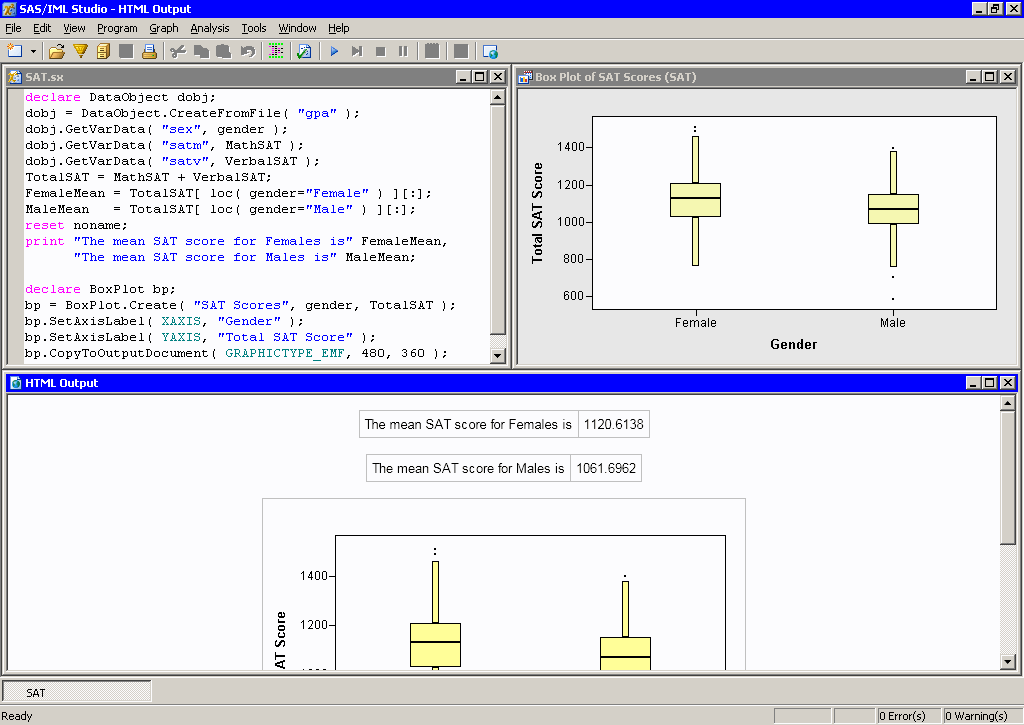
The output from an IML program is displayed in an HTML Output window. This window displays all ODS output generated by a program.
Note: Starting with IML Studio 12.1, IML Studio produces, by default, ODS HTML output rather than ODS LISTING output.
Open a Sample Program
On the File menu, point to Open, and then click File.
–or–
Press CTRL+O.
Navigate to the directory "Programs\Samples\Getting Started" beneath the IML Studio directory.
Select the file SAT.sx.
Click OK.
Run the Program
On the Program menu, click Run.
–or–
Press F5.
The program executes IML statements on the SAS server, displays the results in the HTML Output window, creates an interactive plot, and copies a static image of the plot to the HTML Output window.
Activate the HTML Output Window
Click the title bar of the HTML Output window.
Save the HTML Output to a File
On the File menu, click Save Copy As.
Type a filename for the document. By default, IML Studio will create a Web Archive file (.mht). This type of file is a container that can store an HTML file together with any associated graphics files.
Click OK.
You can now open the file with your Internet browser.