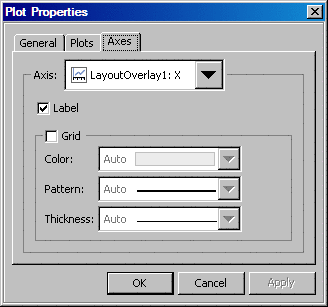
To show
or hide an axis label:
-
Right-click
the axis label and select
Axis Properties. The Plot Properties dialog box opens with the
Axes tab displayed.
-
In the
Axis list box, select the axis whose label you want
to show or hide.
-
Check
or uncheck the
Label box to show or hide
the label.
-