Steps
-
-
In the SAS Program Editor,
select
File Open Program
, and then select
CST_SDTM/programs/cst_metadatareport.sas.
-
Select
RunSubmit.
This program outputs
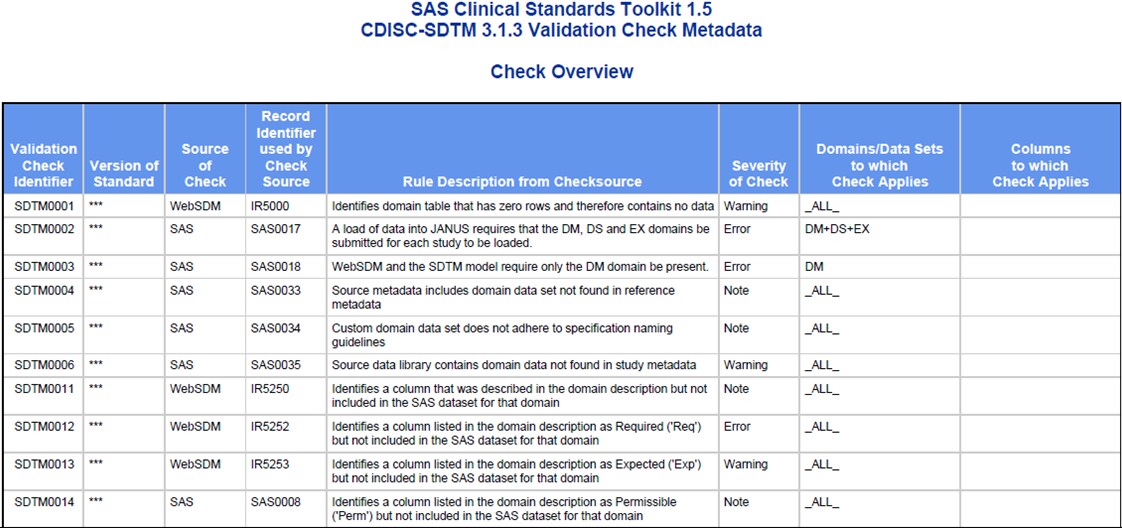
to the SAS log and generates a PDF file named cstcheckmetadatareport.pdf
in the
CST_SDTM/results directory.
Note: No result data set is created.
-
Review the log to see
whether there are any errors or warnings.
There should be no errors
or warnings.
-
-
Ensure that all four
of these report sections were generated:
-
The Report Procedure (Check Overview)
-
-
-
-
Ensure that all titles,
footnotes, column headings, and cell contents appear correct.
-
In the
Reference
Information section, look for at least one value of
OpenCDISC in
the column named
Source of Information (for
example, the row for validation check SDTM0231).
-
Copyright © SAS Institute Inc. All rights reserved.