Monitoring the Statuses of Domains
Overview: Monitoring the Statuses of Domains
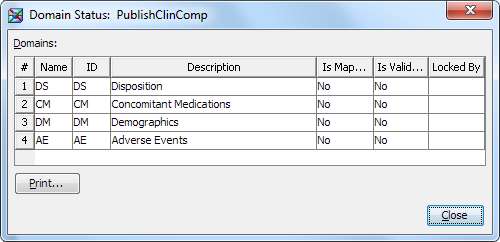
You can monitor the
statuses of domains to determine the progress of mapping the source
data. In addition, you can determine whether a domain has been validated
for compliance with a data standard.
Note: You must have appropriate
permissions to view the Clinical Administration tree. For more information, see Adding Users to the Clinical Administrators Group.
Copyright © SAS Institute Inc. All rights reserved.