Source Window
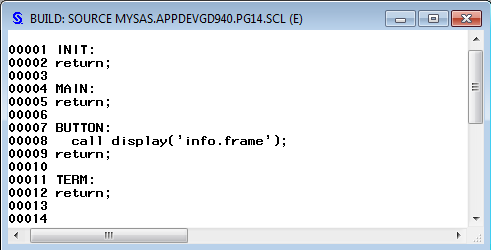
The Source window provides a text editor for creating and editing SAS Component Language (SCL) programs.
You can edit a frame's SCL entry by selecting View Frame SCL or by selecting Frame
SCL from the frame's pop-up menu.
Frame SCL or by selecting Frame
SCL from the frame's pop-up menu.
Frame SCL or by selecting Frame
SCL from the frame's pop-up menu.
You can also open the Source window
by
-
double-clicking an existing SCL entry in the SAS Explorer
-
creating a new SCL entry via the BUILD command
-
clicking the Source window icon on the toolbar
-
issuing the SOURCE command from a FRAME or PROGRAM entry
Note: Avoid opening frame SCL entries
in a Source window or by double-clicking
them in the SAS Explorer. Instead, open a frame SCL entry from within
its respective frame. A frame SCL entry must be compiled along with
its respective frame. If you open a frame SCL entry outside of its
frame and inadvertently compile the frame SCL entry, you will produce
errors.
SAS/AF Build Window
For information about SCL, see Adding SAS Component Language Programs to Frames.
Copyright © SAS Institute Inc. All Rights Reserved.
Last updated: May 27, 2017