Modifying the Registry Settings for SAS/AF Software
You can use the SAS Registry to modify settings that control the
SAS/AF software design-time and run-time environments.
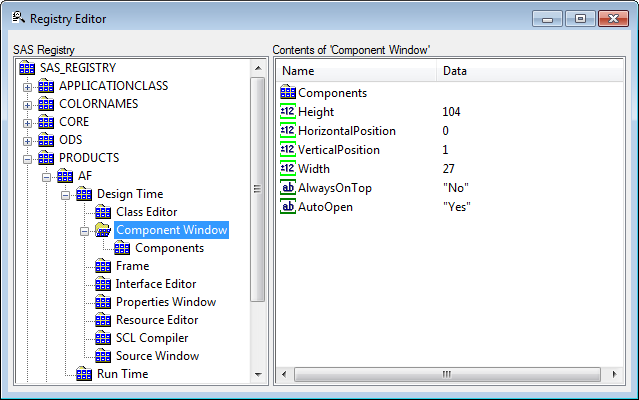
For example, you may want to change the resource that is associated with the Components window by default, or you may want the Properties window to appear without its navigation tree.
To set SAS/AF registry settings:
-
Open the SAS Registry Editor.
-
Expand the Products\AF\Design Time or Products\AF\Run Time key.
-
Select a key in the left pane of the window.
-
Select a key value in the right pane of the window, and then right-click to open the pop-up menu.
-
Select the appropriate command from the pop-up menu. Some commands invoke dialog boxes that enable you to edit the key value.
Copyright © SAS Institute Inc. All Rights Reserved.
Last updated: May 27, 2017