The SAS/AF Development Environment

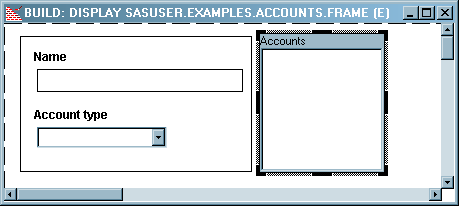
The Frame
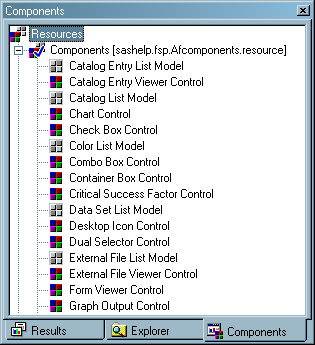
The Components Window
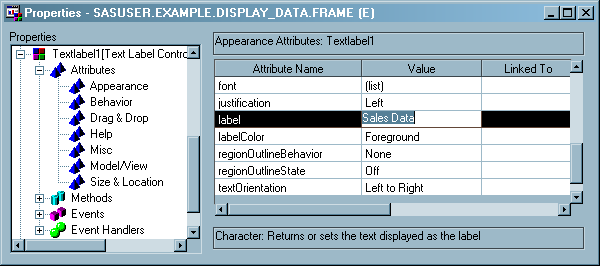
The Properties Window
The Properties
window displays all of the properties of all the components on a frame
(including the frame itself). From the Properties window you can view
and edit properties.
Properties are the defining characteristics of a component.
Properties are the attributes, methods, events, and event handlers
that are defined on a component. Although events and event handlers
are important for more complex applications, the example later in
this document focuses mainly on attributes and uses only one method.
Attributes define information about a component, such as its name, height,
and width. Methods define what a component
can do, such as selecting or deselecting all the items in a List Box.
You use the Properties
window to manipulate properties at build time, and you use programming
code to manipulate properties at run time.
With a frame open, you
can open the Properties window by selecting View Properties Window. You can also open the Properties window by right-clicking
a component and selecting Properties.
Properties Window. You can also open the Properties window by right-clicking
a component and selecting Properties.
Properties Window. You can also open the Properties window by right-clicking
a component and selecting Properties.
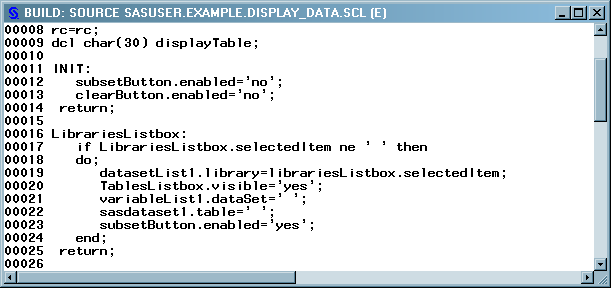
The Source Window
Source windows
contain a text editor for creating and editing programming code. You
can have several Source windows open at the same time. The programming
language that is used in SAS/AF is examined in Adding SCL Programs to Frames.
Copyright © SAS Institute Inc. All rights reserved.