
| Full Factorial Designs |
Reviewing the Design Details
Once the responses are entered into a design, you can review the design details.
To access and review Tablet Formulation, follow these steps:
- Select Tablet Formulation by double-clicking the Tablet Formulation design icon.
- Click Design Details. Review the information on the Design Information and Design Listing tabs.
The design listing shows the uncoded design . Analyses are done on the coded design, which has a low level of -1 and a high level of 1. However, parameter estimates can be shown in uncoded form.
To view the coded design, follow these steps:
 at the top left to change to the coded design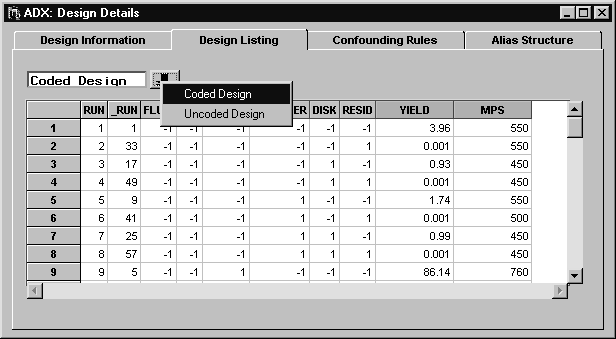
Copyright © 2008 by SAS Institute Inc., Cary, NC, USA. All rights reserved.